
Heb je een idee voor een advertentie, maar weet je niet hoe je dit omzet in een korte en overtuigende boodschap?
De AI Advertentiegenerator maakt advertentieteksten en bijpassende audio op basis van jouw basisidee. Typ je prompt, plak bestaande content of neem op wat je wilt promoten. Selecteer daarna het advertentietype, de duur en de doelgroep.
De tool gebruikt deze informatie om een advertentie te maken die past bij jouw product, doelgroep en campagnedoel.
Wat is een AI Advertentiegenerator?
Een AI Advertentiegenerator zet productinformatie, campagnenotities of een ingesproken idee om in een kort advertentiescript met bijpassende audio.
Je hoeft de uiteindelijke advertentie niet zelf te schrijven. Leg eenvoudig uit:
- Wat je wilt promoten
- Voor wie de advertentie bedoeld is
- Welk voordeel of welke aanbieding moet worden benadrukt
- Welke actie de doelgroep moet ondernemen
De tool kan binnen de geselecteerde tijdsduur een pakkende openingszin, de belangrijkste promotionele boodschap, productvoordelen, details van de aanbieding en een call-to-action maken.
De tool werkt als AI-advertentietekstgenerator, audio-advertentiegenerator, generator voor korte advertentiescripts en AI-voice-overgenerator in één.
Begin met je advertentie-idee
Je kunt jouw advertentie-idee invoeren op de manier die voor jou het gemakkelijkst is.
Typ je prompt
Schrijf een korte uitleg over je product, dienst, aanbieding, evenement of campagne.
Je kunt ook het belangrijkste voordeel, de gewenste toon en de call-to-action vermelden.
Plak bestaande content
Plak een productbeschrijving, een gedeelte van je website, een campagnebriefing, ruwe notities of bestaande promotionele tekst.
De generator gebruikt deze informatie om een kortere, duidelijkere en meer gerichte advertentie te maken.
Neem je idee op
Neem je prompt op in plaats van deze te typen.
Leg je advertentie-idee op een natuurlijke manier uit, zoals je dat aan een marketeer of teamlid zou doen. De tool gebruikt je opname om de advertentietekst en bijpassende audio te maken.
Kies het type advertentie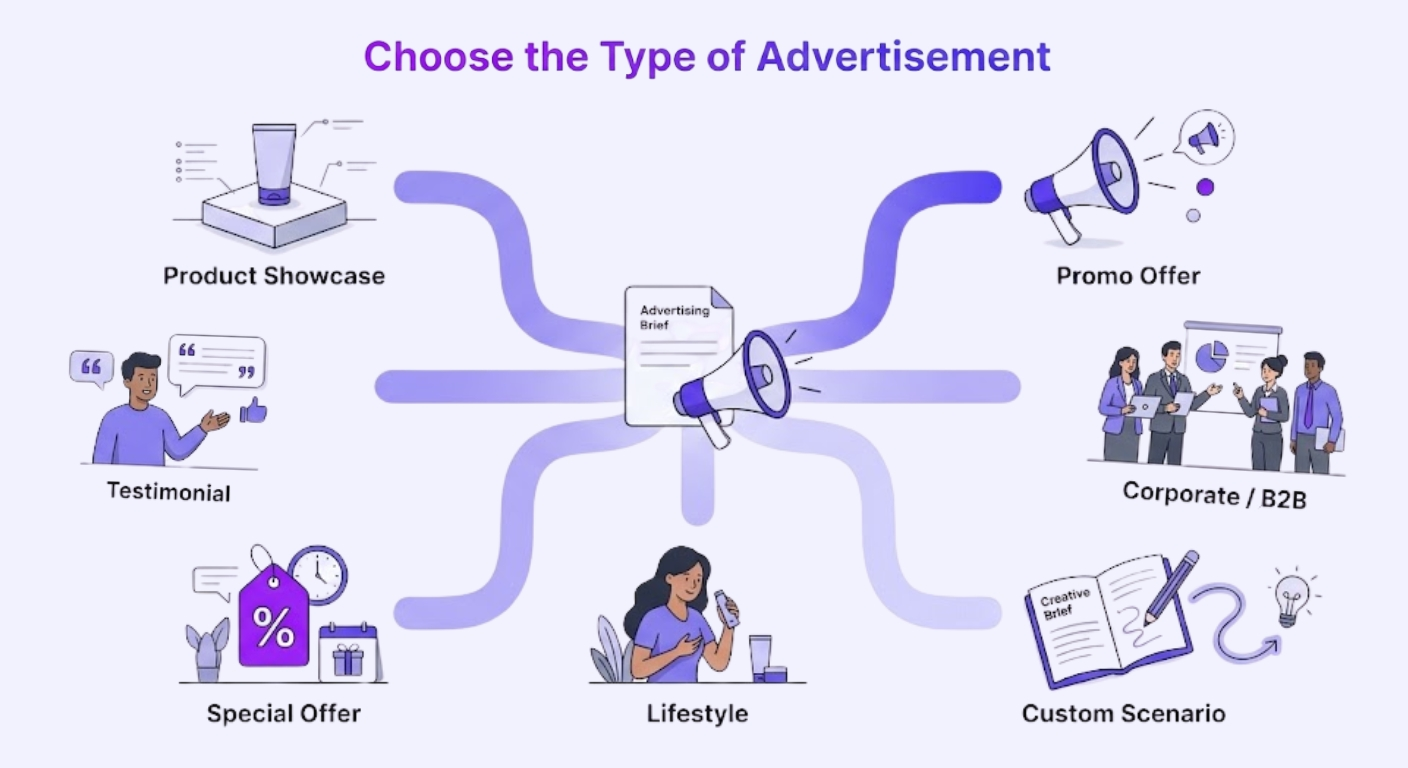
Verschillende campagnes hebben verschillende boodschappen nodig. Selecteer het advertentietype dat het beste past bij wat je wilt maken.
Productpresentatie
Presenteer een product en benadruk de belangrijkste kenmerken, voordelen of toepassingen.
Dit advertentietype is geschikt voor productlanceringen, e-commerceproducten, apps, software en nieuwe collecties.
Promotie
Maak een promotionele advertentie voor een campagne, aanbieding, lancering of marketingactiviteit.
Deze kan worden gebruikt om een aanbod te introduceren en de doelgroep aan te moedigen actie te ondernemen.
Klanttestimonial
Maak een advertentie in testimonialstijl waarin een ervaring, resultaat of klantperspectief wordt gepresenteerd.
Elke testimonial of klantclaim moet vóór publicatie worden gecontroleerd en gebaseerd zijn op echte informatie.
Speciale aanbieding
Promoot een korting, tijdelijke deal, gratis proefperiode, seizoensuitverkoop, bundel of exclusieve aanbieding.
Vermeld de juiste prijs, korting, deadline en voorwaarden in je prompt.
Lifestyle
Laat zien hoe een product of dienst past bij het dagelijks leven, de routine, doelen of interesses van de doelgroep.
Deze indeling richt zich meer op de ervaring en voordelen dan op het opsommen van productkenmerken.
Zakelijk / B2B
Maak professionele advertenties voor bedrijven, besluitvormers, bedrijfseigenaren, teams of professionals.
Deze optie is geschikt voor software, zakelijke diensten, bureaus, consultancy, bedrijfsoplossingen en B2B-campagnes.
Aangepast scenario
Beschrijf je eigen advertentiesituatie wanneer de beschikbare categorieën niet bij je campagne passen.
Je kunt het scenario, de toon, doelgroep, aanbieding en boodschap in je prompt uitleggen.
Selecteer de advertentieduur
Kies hoe lang de gegenereerde advertentie moet duren.
5 seconden
Ideaal voor een snelle aankondiging, korte merkvermelding, pakkende openingszin of directe call-to-action.
10 seconden
Handig om de aanbieding te introduceren en één belangrijk voordeel te noemen.
15 seconden
Biedt voldoende ruimte voor een pakkende opening, voordeel, aanbieding en call-to-action.
20 seconden
Geschikt wanneer het product of de dienst iets meer uitleg nodig heeft voordat de uiteindelijke actie wordt genoemd.
De tool past de hoeveelheid tekst en de lengte van de audio aan op basis van de geselecteerde duur.
Bepaal je doelgroep
De doelgroepinstellingen helpen de generator om een boodschap te maken voor de mensen die je wilt bereiken.
Leeftijdsgroep
Selecteer de leeftijdsgroep van je beoogde doelgroep.
De woordkeuze voor jonge studenten kan anders zijn dan die voor een advertentie gericht op ervaren professionals of bedrijfseigenaren.
Interesses
Selecteer interesses die verband houden met het product of de campagne, zoals fitness, mode, technologie, reizen, onderwijs, e-commerce of zakelijke dienstverlening.
Beroep
Vermeld het beroep wanneer dit invloed heeft op hoe de doelgroep de aanbieding begrijpt of gebruikt.
Je kunt je richten op marketeers, docenten, ontwikkelaars, artsen, ondernemers, studenten, freelancers, recruiters of andere beroepsgroepen.
Belangrijkste functies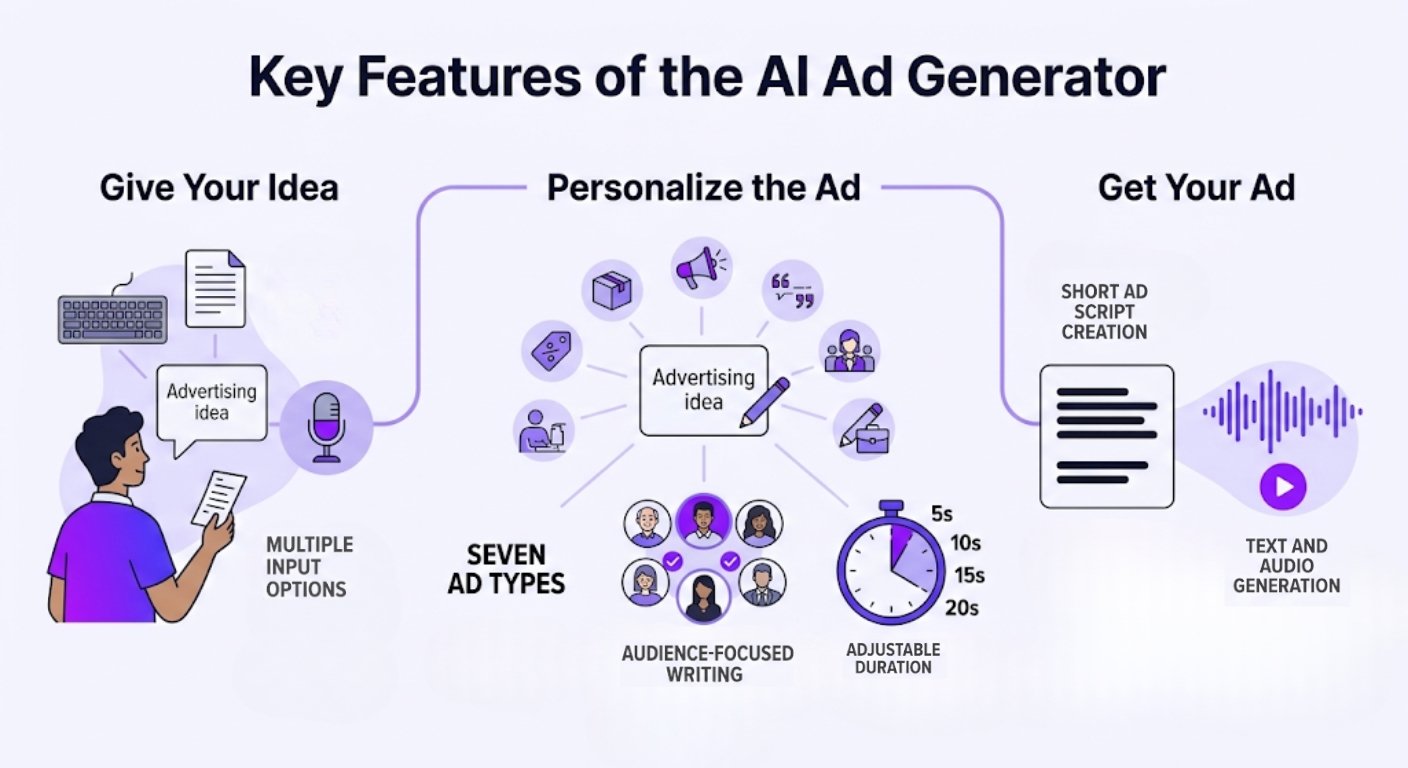
Tekst- en audiogeneratie
Maak de advertentietekst en bijpassende audio vanuit dezelfde prompt.
Meerdere invoermogelijkheden
Typ, plak of neem je advertentie-idee op.
Zeven advertentietypen
Kies uit Productpresentatie, Promotie, Klanttestimonial, Speciale aanbieding, Lifestyle, Zakelijk / B2B of Aangepast scenario.
Aanpasbare duur
Genereer advertenties van 5, 10, 15 of 20 seconden.
Doelgroepgerichte teksten
Gebruik leeftijdsgroep, interesses en beroep om de advertentieboodschap beter af te stemmen.
Korte advertentiescripts maken
Zet ruwe ideeën of lange productinformatie om in een kort en gericht advertentiescript.
Hoe gebruik je de AI Advertentiegenerator?
Stap 1: Voeg je idee toe
Typ, plak of neem op wat je wilt promoten.
Vermeld waar mogelijk het product, het belangrijkste voordeel, de aanbieding en de call-to-action.
Stap 2: Selecteer het advertentietype
Kies de indeling die bij je campagne past, zoals Productpresentatie, Klanttestimonial, Lifestyle of Zakelijk / B2B.
Stap 3: Stel de duur en doelgroep in
Kies een duur van 5, 10, 15 of 20 seconden.
Selecteer daarna de relevante leeftijdsgroep, interesses en het beroep.
Stap 4: Genereer en controleer
Genereer de advertentietekst en audio.
Lees het script, luister naar de audio en controleer alle namen, prijzen, aanbiedingen, claims, datums en uitspraken voordat je de advertentie gebruikt.
Wie kan de AI Advertentiegenerator gebruiken?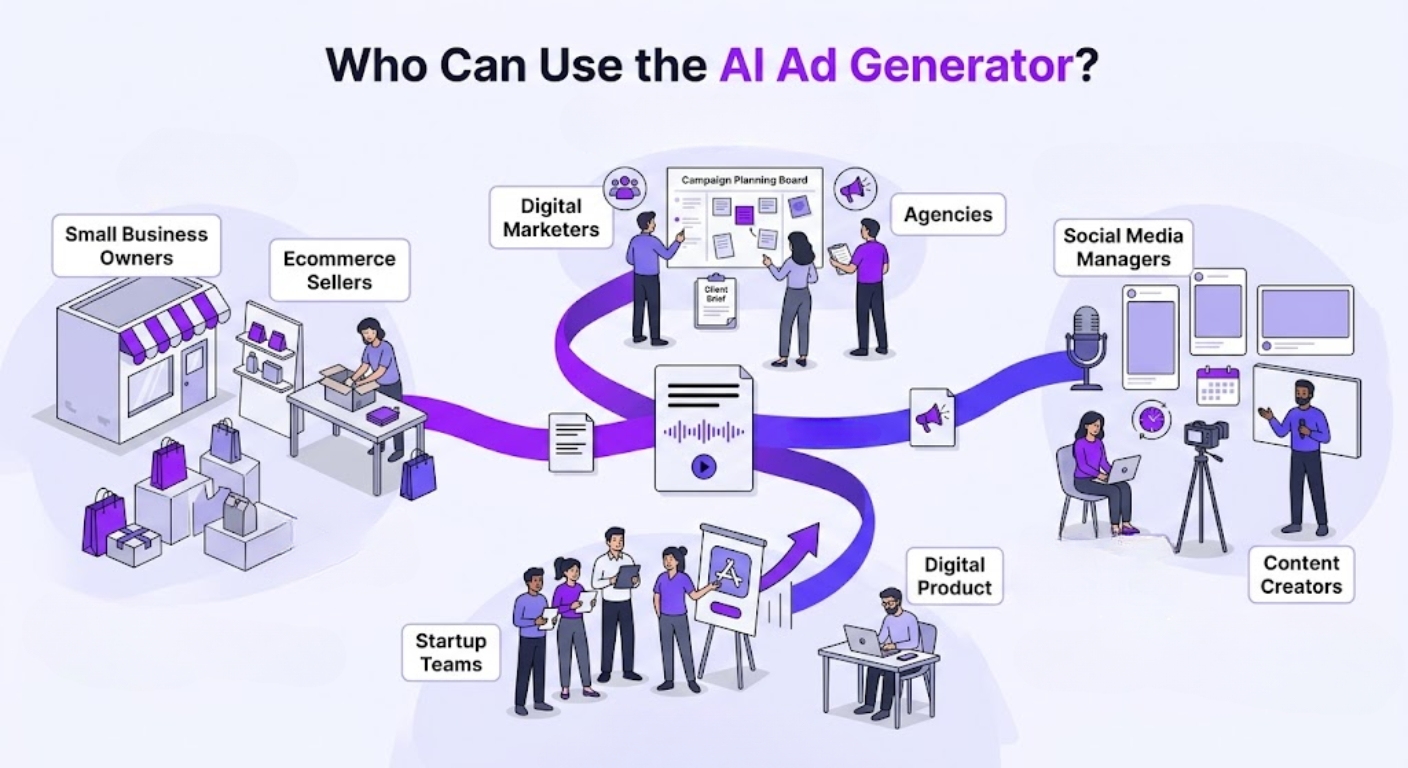
Eigenaren van kleine bedrijven
Maak korte advertenties voor producten, diensten, kortingen, nieuwe artikelen, winkelopeningen en seizoensgebonden promoties.
E-commerceverkopers
Zet productbeschrijvingen en aanbiedingen om in korte productadvertenties die het belangrijkste voordeel benadrukken en klanten aanmoedigen actie te ondernemen.
Digitale marketeers
Maak advertentieteksten en audio voor verschillende campagnes, doelgroepen, aanbiedingen en promotionele ideeën.
Socialmediamanagers
Maak korte advertentiescripts voor content die wordt gebruikt op Facebook, Instagram, TikTok, YouTube, LinkedIn en andere platforms.
De tekst en audio moeten worden aangepast aan het formaat en de advertentieregels van het platform waarop ze worden gebruikt.
Startupteams
Genereer advertenties voor een app, softwareproduct, nieuwe functie, wachtlijst, abonnement, gratis proefperiode of productlancering.
Freelancers
Maak promotionele teksten en audio voor persoonlijke diensten, klantcampagnes, online portfolio’s, cursussen of adviesdiensten.
Bureaus
Gebruik ruwe campagnenotities of klantinformatie om een eerste advertentierichting te maken die later kan worden gecontroleerd en verfijnd.
Contentmakers
Maak korte audiopromoties voor kanalen, digitale producten, nieuwsbrieven, evenementen, sponsoring en persoonlijke merken.
Tips voor betere advertenties
- Richt je per advertentie op één product, dienst of aanbieding.
- Noem het belangrijkste voordeel voor de klant.
- Selecteer het advertentietype dat past bij het doel van je campagne.
- Bepaal een relevante doelgroep in plaats van iedereen aan te spreken.
- Vermeld correcte prijzen, kortingen, datums en aanbiedingsvoorwaarden.
- Gebruik één duidelijke call-to-action.
- Kies een langere duur wanneer de aanbieding meer uitleg nodig heeft.
- Controleer merknamen en moeilijke woorden in de gegenereerde audio.
- Vermijd onbewezen claims of verzonnen testimonials.
- Controleer de uiteindelijke tekst en audio vóór publicatie.