Include priority and deadlines, then language and polish.
Language
Tip: Major languages work best. Very mixed-language text can be less accurate.
AI Quality
Free drafts fast. Premium/Ultimate unlock clearer, publish-ready results on Plus.
AI Generated Content
Action items will appear here
Paste meeting notes or a transcript. Output is a clear checklist.
1Paste notes or meeting audio
2Toggle priority & deadlines
3Extract action items
Action Item Extractor History
Saved items for this tool (per account)
Action Item Extractor Feedback
Ratings and comments from people who used this tool
No feedback yet for this tool.
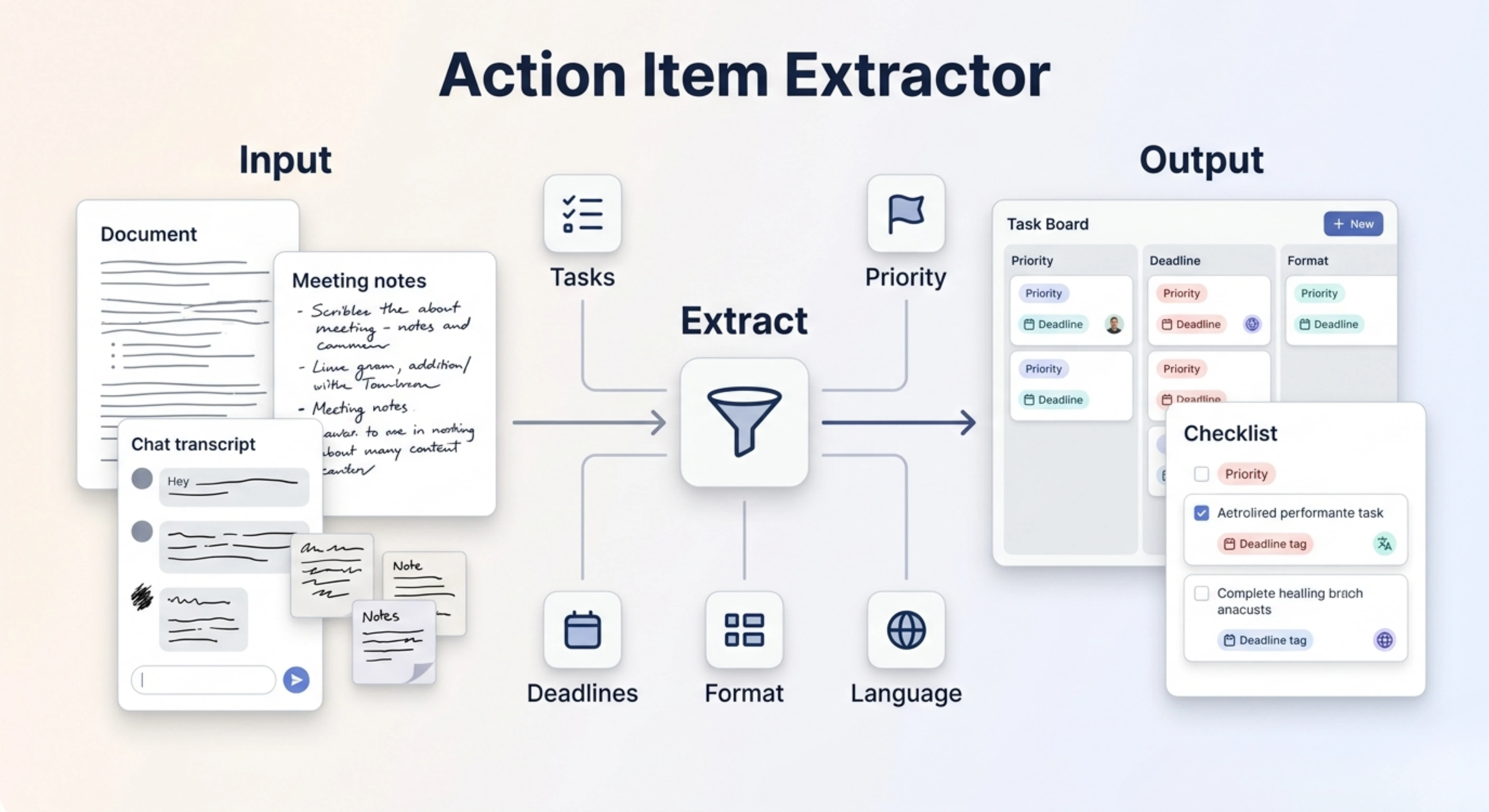
Important tasks are often hidden inside meeting notes, transcripts, emails, reports, or long documents. The Action Item Extractor turns that content into clear tasks with priority levels, deadlines, and organized next steps, so you can quickly understand what needs to be done and when.
What is an Action Item Extractor?
Action Item Extractor is a productivity tool that helps users convert written content, meeting notes, transcripts, reports, emails, or project discussions into a clear list of tasks.
Instead of manually reading long content and trying to find the next steps, users can use the tool to identify important actions, organize them by priority, and include deadlines where needed. This makes it useful for teams, managers, students, business owners, and professionals who need to turn information into practical work.
Upload or paste your content
Meeting notes and transcripts
Upload meeting notes, call transcripts, discussion records, or team updates and convert them into clear action items that are easier to follow.
Documents and reports
Use long documents, project reports, business updates, research notes, or planning material to extract the tasks and next steps hidden inside the content.
Emails and written communication
Paste emails, client messages, internal updates, or feedback notes and get a task-based output that shows what needs to be done next.
Project and workflow details
Add project information, planning notes, pending work, responsibilities, or process details so the tool can organize them into actionable points.
Key features of Action Item Extractor
Clear action item extraction
The tool identifies the important tasks, follow-ups, responsibilities, and next steps from your content and turns them into a clean action list.
Priority level organization
Users can select the priority level option so the output presents tasks in a clear hierarchy, making it easier to focus on urgent or important work first.
Deadline-based output
The deadline option helps mention ending times, due dates, or task completion timelines when the content includes time-related details or when deadlines are selected.
Structured task format
The output is organized in a practical format, so users can quickly review tasks, understand what needs attention, and move the items into their workflow.
Same-language output by default
The extracted action items are generated in the same language as the input by default, helping the output stay natural and easy to understand.
Choose a different output language
Users can also select another output language, which is useful for multilingual teams, international clients, or cross-border project communication.
Useful for messy and long content
The tool helps reduce the time spent reading through long notes, rough text, or unclear discussions by turning them into focused and usable tasks.
Choose the right processing mode
Fast
Best for quickly extracting basic action items when you need a simple task list in less time.
Balanced
Best for regular use. It gives a good mix of speed and quality, making it suitable for most meeting notes, emails, reports, and project updates.
Best
Best for detailed and carefully prepared action item extraction. This mode may take more time, but the output is more focused, complete, and deeply organized.
How to use Action Item Extractor
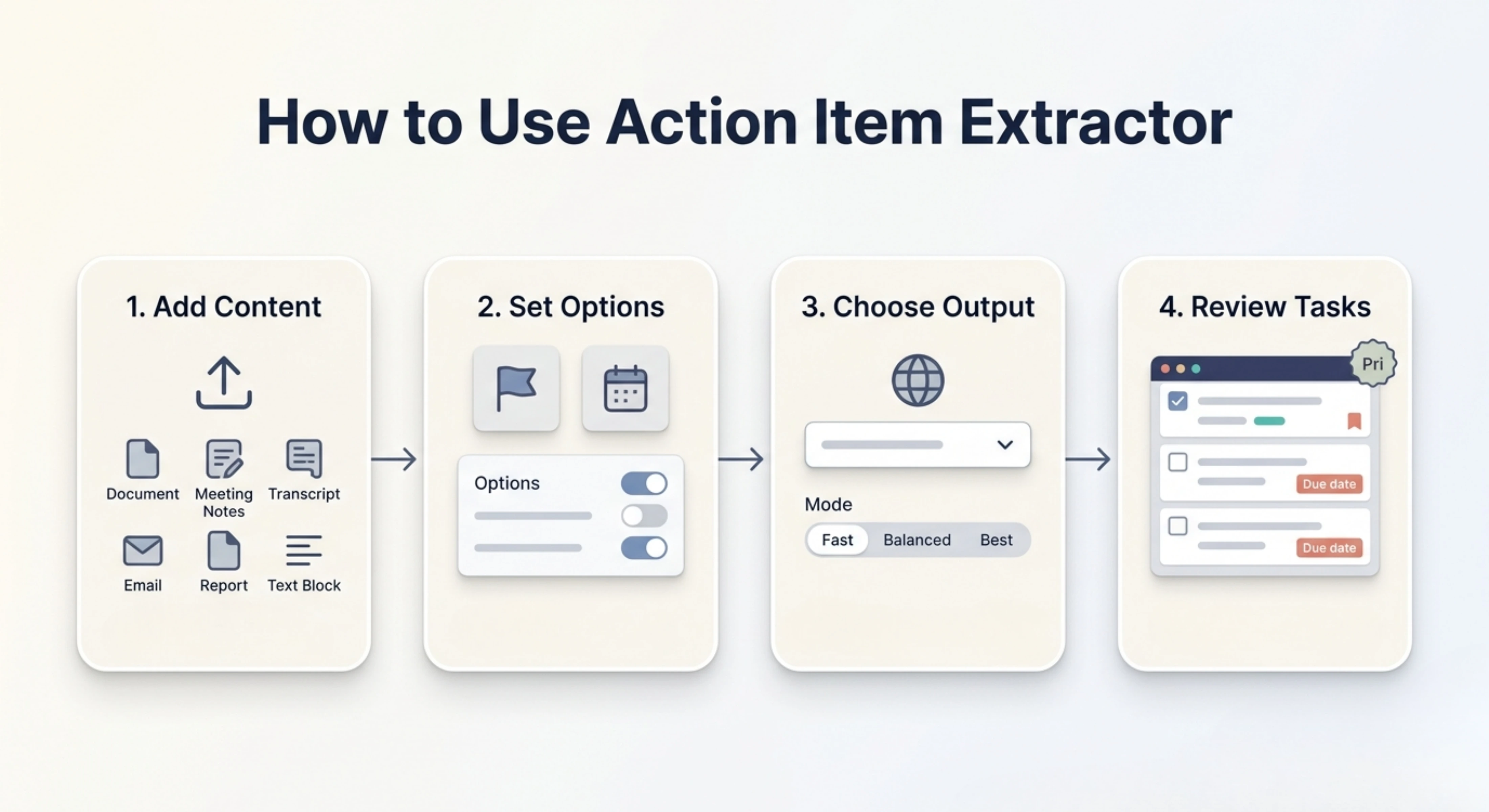
Step 1: Add your content
Upload your file or paste your meeting notes, transcript, email, report, project update, or written content directly into the tool.
Step 2: Choose priority and deadline options
Select the priority level option if you want the tasks arranged by importance. Use the deadline option if you want ending times or task deadlines included in the output.
Step 3: Select language and quality
Keep the same output language or choose a different one, then select Fast, Balanced, or Best mode based on the level of detail you need.
Step 4: Generate and review the action items
Generate the output, review the extracted tasks, check the priority order and deadlines, and adjust anything that needs human confirmation.
Why use an Action Item Extractor?
Long content can include many useful ideas, but not all of them are easy to turn into tasks. In meetings, emails, reports, and team discussions, action points are often mixed with background details, decisions, opinions, and explanations. This makes it easy to miss important follow-ups or delay work because the next steps are not clearly written.
Action Item Extractor helps by converting your content into a direct task-based output. It saves time, reduces manual review, and makes your work easier to manage. With priority level and deadline options, the tool does more than simply summarize your content. It helps you understand what should be done first, what needs attention later, and what timeline should be followed.
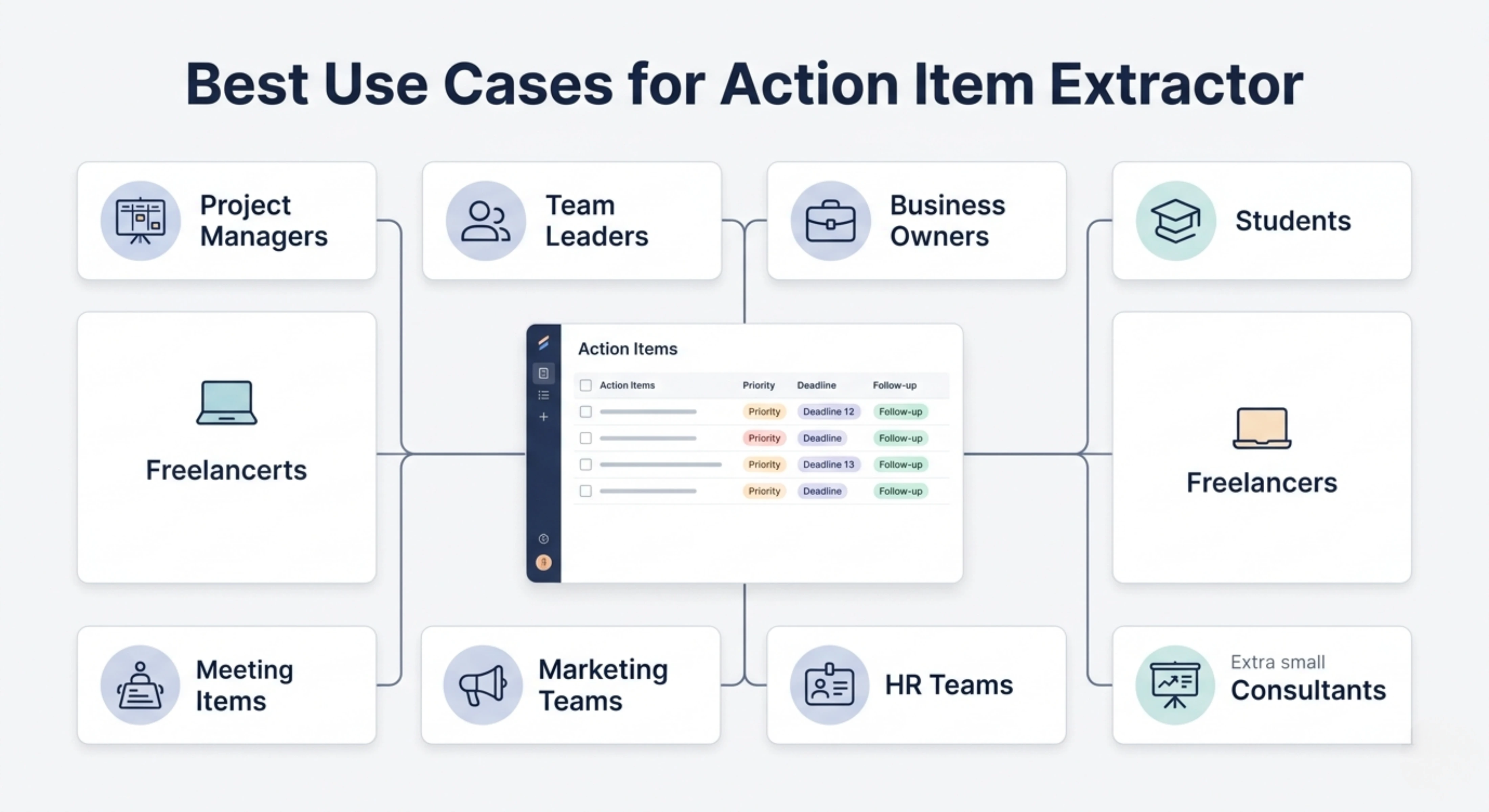
Best use cases
Project managers: Turn meeting notes, project updates, and team discussions into clear tasks with priorities and deadlines.
Team leaders: Extract follow-up tasks from internal meetings, performance discussions, planning sessions, or daily work updates.
Business owners: Convert client conversations, operational notes, and business planning documents into organized next steps.
Students: Turn lecture notes, group project discussions, research planning, or assignment instructions into clear tasks.
Freelancers: Extract client requirements, revision points, deliverables, and deadlines from emails, messages, or project briefs.
Marketing teams: Convert campaign discussions, content plans, review notes, and strategy meetings into actionable task lists.
HR teams: Extract next steps from interviews, employee meetings, onboarding notes, and policy discussions.
Consultants: Turn client calls, discovery notes, and project recommendations into clear follow-up actions.
Meeting action items
Use the tool to extract tasks from meeting notes or transcripts so every important follow-up is easier to track after the discussion ends.
Project task planning
Convert project details, planning notes, and status updates into a structured task list that helps the team understand what should happen next.
Email task extraction
Paste long email threads or client messages and turn them into clear action points instead of manually reading the conversation again and again.
Deadline-based task lists
Use the deadline option to create task outputs that include ending times, due dates, or time-sensitive follow-ups where needed.
Priority-based task organization
Use the priority level option to arrange tasks from most important to least important, helping users focus on the work that matters first.
Client follow-up management
Extract client requests, pending approvals, revision notes, and delivery tasks from calls, emails, or project conversations.
Team productivity improvement
Use the tool to reduce confusion after meetings, keep responsibilities clear, and make sure important tasks do not stay buried inside notes.
Tips for better action item extraction
Add complete content so the tool can understand the full context before extracting tasks.
Include names, dates, deadlines, and responsibilities if they are already known.
Use the priority level option when the content has many tasks or mixed levels of urgency.
Use the deadline option when timing, due dates, delivery dates, or ending times are important.
Choose Best mode for important meetings, client projects, complex reports, or detailed workflow planning.
Review the final output before assigning tasks, especially when deadlines or responsibilities need confirmation.
Add missing owner names or exact due dates manually if they were not clearly mentioned in the original content.
FAQs
How do I extract action items from meeting notes?
To extract action items from meeting notes, look for decisions, commitments, follow-ups, assigned tasks, deadlines, and next steps. The Action Item Extractor makes this easier by reading the content and turning those important points into a structured task list.
Can AI extract action items from a transcript?
Yes, AI can help extract action items from transcripts by identifying task-related language, follow-up points, responsibilities, and deadlines. However, the final output should still be reviewed to confirm accuracy, especially when the transcript contains unclear names, missing dates, or informal discussion.
How do I prioritize action items after a meeting?
Action items can be prioritized based on urgency, importance, deadline, business impact, and dependency on other tasks. With the priority level option, the tool can organize tasks in a hierarchy so you can quickly see which items should be handled first.
What should be included in a good action item?
A good action item should include a specific task, a responsible person if available, a deadline or expected completion time, and enough context to understand why the task matters. It should be written clearly so the person reading it knows exactly what to do.
How do I make sure action items do not get forgotten?
After extracting action items, review them, assign owners, confirm deadlines, and move them into your task management system, calendar, project board, or follow-up document. Clear priority and deadline details make it easier to track progress and avoid missed work.
Can I extract action items from emails?
Yes, you can paste an email, email thread, or client message into the tool and extract the tasks, requests, follow-ups, and deadlines mentioned in it. This is useful when long email conversations include multiple responsibilities or next steps.
Next in the studio
Related tools
Next steps in the Speak → Craft → Hear studio — each card shows why it fits.