Use AI Text Summarizer in your browser with multilingual output and private processing.
Craft step — shape wording for speaking or publishing
AI Text Summarizer
Concise & Intelligent Analysis
Input
Paste long text, upload notes, or bring content in from another tool before summarizing.
AI loading
0 / 1000 words
Configuration
Pick the summary format, target length, language, and quality before running the tool.
Output format
Target length
Language
Tip: Major languages work best. Very mixed-language text can be less accurate.
AI Quality
We will summarize your text into a paragraph with a medium length.
AI Summary Result
Review the result here, then save it, reuse it, or send it into another tool.
Your summary will appear here
Paste long text, notes, or an article. We’ll pull out the key ideas as a paragraph or bullets.
1Paste the long text
2Choose format & length
3Generate the summary
Secure & Private • Processed locally in your browser • Supports large-document chunking
Text Summarizer History
Saved items for this tool (per account)
Text Summarizer Feedback
Ratings and comments from people who used this tool
No feedback yet for this tool.
Summarize long text into clear and useful summaries
Reading long documents, articles, notes, reports, or study material can take a lot of time when you only need the main points. The Text Summarizer helps you turn lengthy content into a shorter, clearer version while keeping the important meaning, key ideas, and useful details.
Paste your text, write your content directly, or upload a file, then choose how you want the summary to appear. You can generate the output as paragraphs or bullet points, select the target length, choose the output language, and use quality controls based on how detailed or fast you want the summary to be.
What is a Text Summarizer?
Text Summarizer is a writing and reading support tool that helps users shorten long content into clear, readable summaries. It can summarize pasted text, manually written content, or uploaded files and turn them into a focused version that is easier to understand, review, and use.
Instead of spending time reading the full content again and again, users can use the tool to extract the main message, key points, important arguments, and useful information from the original text. This makes it helpful for students, researchers, professionals, content writers, business teams, and anyone who works with large amounts of text.
Upload, paste, or write your content
Uploaded files
Upload documents, notes, reports, articles, research material, study files, or other text-based files and convert them into a shorter summary.
Pasted text
Paste long paragraphs, copied content, online articles, meeting notes, emails, or written material directly into the tool and summarize it quickly.
Written content
Write your text directly in the input area when you want to shorten your own draft, notes, explanation, or rough content.
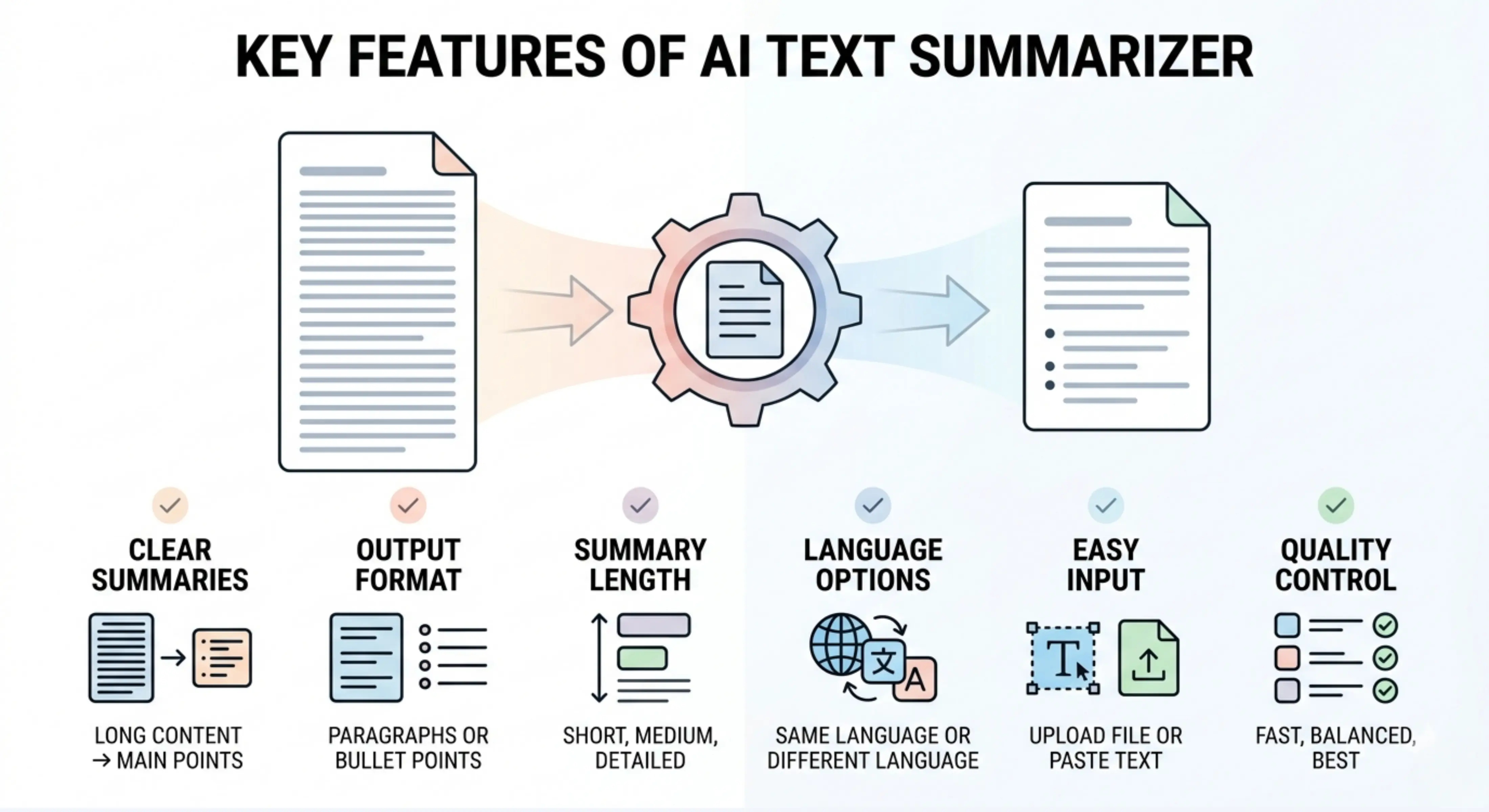
Key features of AI Text Summarizer
Clear and accurate summaries
The tool shortens the original content while keeping the main meaning, important points, and useful information clear.
Paragraph or bullet point output
Users can choose whether they want the summary in paragraph form or bullet points. Paragraph summaries are useful for smooth reading, while bullet points are better for quick review and scanning.
Adjustable summary length
The target length can be selected as short, medium, or detailed, depending on how much information the user wants to keep in the final summary.
Same-language output by default
The summary is generated in the same language as the input by default, so the original context, tone, and meaning stay natural.
Choose a different output language
Users can also select another language for the summary, which is helpful for multilingual reading, international teams, research work, content repurposing, or learning material.
Easy file and text input
The tool supports both file upload and direct text input, making it useful for different types of content and different working styles.
Quality control options
Users can choose how deeply the text should be summarized based on their time, purpose, and the level of detail needed.
Choose the right processing mode
Fast
Best for quickly summarizing content when you need a simple and quick overview in less time.
Balanced
Best for regular text summarization. It gives a good mix of speed and quality, making it useful for most articles, notes, reports, and documents.
Best
Best for detailed and carefully prepared summaries. This mode may take more time, but the output is more focused, complete, and deeply prepared.
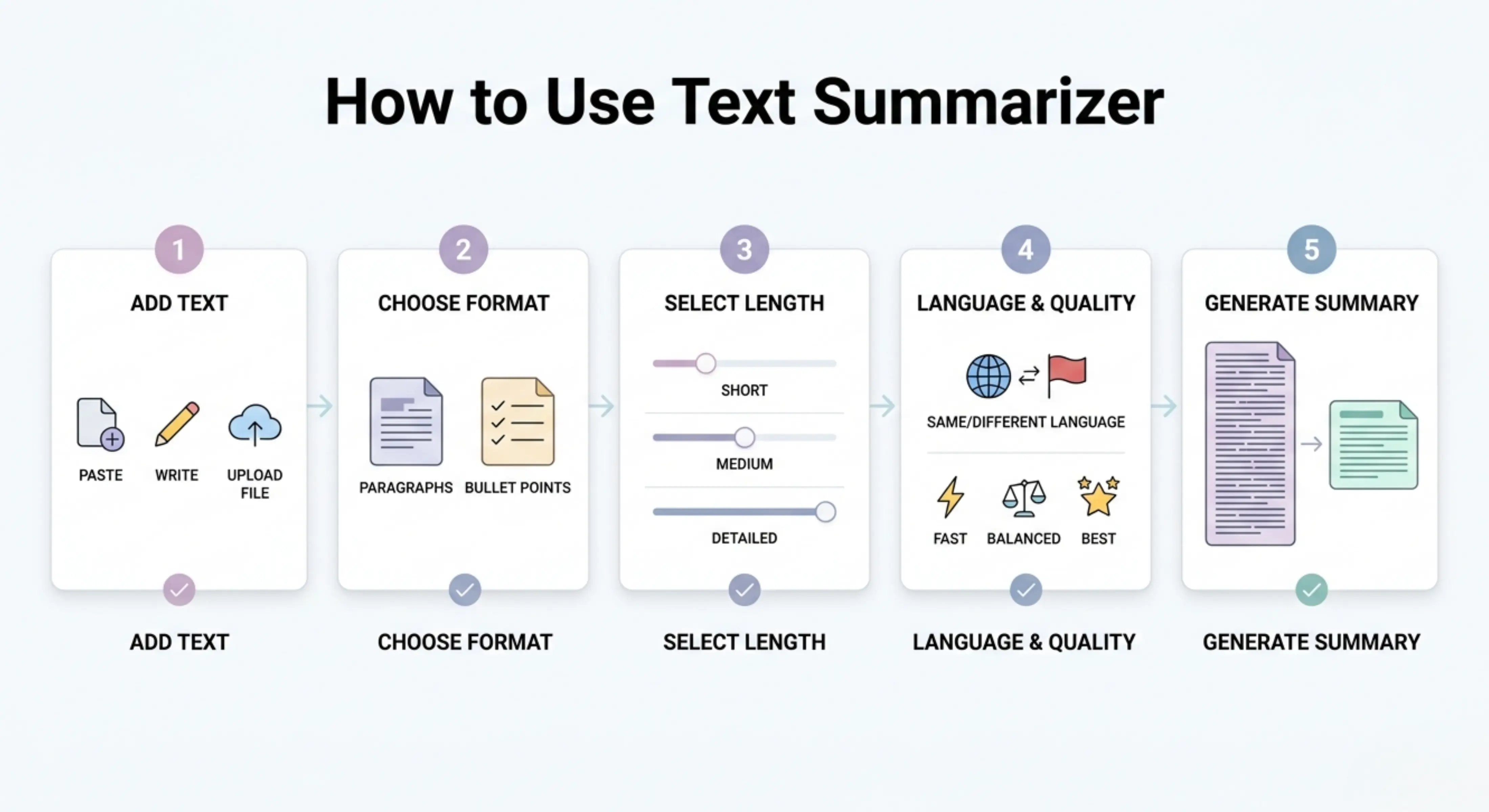
How to use Text Summarizer
Step 1: Add your text
Paste your content, write it directly, or upload a file that you want to summarize.
Step 2: Choose the output format
Select whether you want the summary as paragraphs or bullet points.
Step 3: Select the target length
Choose short, medium, or detailed summary length based on how much information you want in the final output.
Step 4: Choose language and quality
Keep the same output language or select another one, then choose Fast, Balanced, or Best mode.
Step 5: Generate your summary
Let the tool process your content and create a clear, shorter version of the original text.
Why use a Text Summarizer?
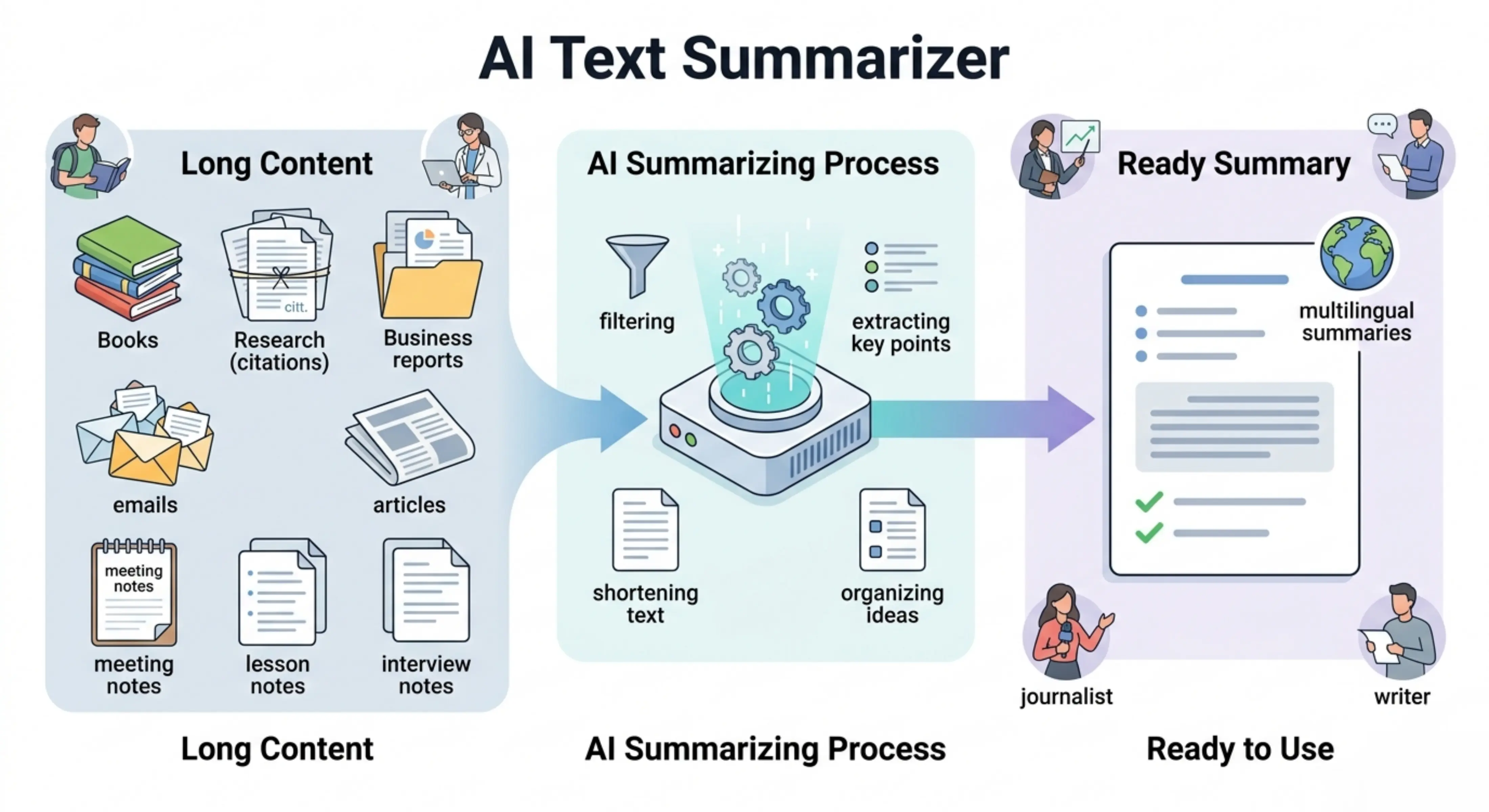
Long content often contains useful information, but reading everything in detail is not always practical. Articles, reports, academic papers, meeting notes, emails, and research documents can take time to understand, especially when you only need the main ideas.
Text Summarizer helps by reducing long content into a clear and useful summary. It saves time, improves readability, and makes information easier to review. Whether you need a short overview, a medium summary, or a detailed explanation of the main points, the tool helps you understand the content more efficiently.
Best use cases
Students: Summarize study notes, textbook content, lecture material, essays, research papers, and academic documents for easier revision.
Researchers: Shorten long research papers, findings, reports, abstracts, and study material into clear summaries for quick review.
Content writers: Summarize articles, blog drafts, reference material, newsletters, and source content for content planning or repurposing.
Business teams: Convert long reports, meeting notes, emails, proposals, and internal documents into readable summaries.
Professionals: Quickly understand important points from workplace documents, project updates, policy notes, and business communication.
Teachers and educators: Summarize learning material, lesson notes, educational content, and student resources into simpler versions.
Journalists: Summarize interviews, press releases, news articles, and background research into key points.
Freelancers: Summarize client documents, project briefs, research material, and communication records for faster understanding.
Article summarization
Turn long articles into shorter summaries that explain the main idea, key arguments, and useful points without reading the full content every time.
Academic text summarization
Summarize research papers, assignments, essays, reports, and study notes into clear outputs that are easier to review and understand.
Business document summarization
Convert business reports, meeting notes, emails, proposals, and project documents into focused summaries for faster decision-making and team communication.
Bullet point summaries
Create bullet point summaries when you need quick, scannable points from long content. This is useful for study notes, meeting highlights, reports, and content outlines.
Paragraph summaries
Generate paragraph-style summaries when you want the output to read smoothly and naturally while still being shorter than the original content.
Multilingual text summaries
Summarize content in the same language as the input or choose another output language for global communication, learning, translation support, or multilingual work.
Tips for better text summaries
Use clear and complete input text so the tool can understand the main topic properly.
Choose bullet points when you want quick highlights or key takeaways.
Choose paragraph format when you want a natural and readable summary.
Use short length for quick overviews, medium for balanced summaries, and detailed for deeper understanding.
Use Best mode when summarizing important documents, academic material, research content, or business reports.
Review the final summary to make sure all important context, names, numbers, and key details are correctly included.
Add any missing specific information manually if the original document contains complex data, references, or technical details.
FAQs
Is AI text summarization accurate?
AI text summarization can create clear and useful summaries, but users should still review the output, especially when the content includes technical details, numbers, legal information, academic references, or important business data.
Who can use a Text Summarizer?
Students, researchers, writers, professionals, teachers, journalists, freelancers, and business teams can use a text summarizer to understand long content faster and create useful summaries.
Can the tool summarize text in another language?
Yes, the summary is generated in the same language as the input by default, but users can also select a different output language when needed.
What is a text summarizer?
A text summarizer is a tool that shortens long content into a clearer and more focused version. It keeps the main ideas, important details, and useful points while removing unnecessary repetition or extra wording.
How does a text summarizer help?
A text summarizer helps save time by turning long articles, documents, notes, reports, or research material into shorter summaries. It makes the content easier to read, review, understand, and use.
Can I summarize a file with this tool?
Yes, users can upload a file and generate a summary from its content. This is useful for documents, reports, study material, research files, notes, and other text-based files.
Next in the studio
Related tools
Next steps in the Speak → Craft → Hear studio — each card shows why it fits.