
Rewriting text can be difficult when you want to express the same idea in a clearer, smoother, or more natural way without changing the original meaning. The Paraphrasing tool helps you rephrase your content so it sounds fresh, readable, and better suited for your purpose.
Upload your file, paste your text, or write your content directly into the tool, choose your preferred settings, and generate a rewritten version that keeps the meaning of your original content while improving the wording, structure, and flow.
What is a Paraphrasing tool?
Paraphrasing is a writing support tool that helps users reword existing text while keeping the main meaning intact. It is useful when your content feels repetitive, unclear, too simple, too complex, or not suitable for the tone you want.
Instead of rewriting everything manually, users can use the tool to quickly turn their original text into a cleaner and more polished version. It can help with essays, articles, emails, reports, website content, social posts, academic writing, business content, and many other types of text.
Upload, paste, or write your content
Text files
Upload your document, article, draft, report, notes, or written material and turn it into a rephrased version with better wording and sentence flow.
Pasted content
Paste your text directly into the tool when you already have content that needs rewriting, improvement, or a different expression.
Written text
Write your content inside the tool and start the paraphrasing process without needing to prepare a separate file.
Key features of Paraphrasing
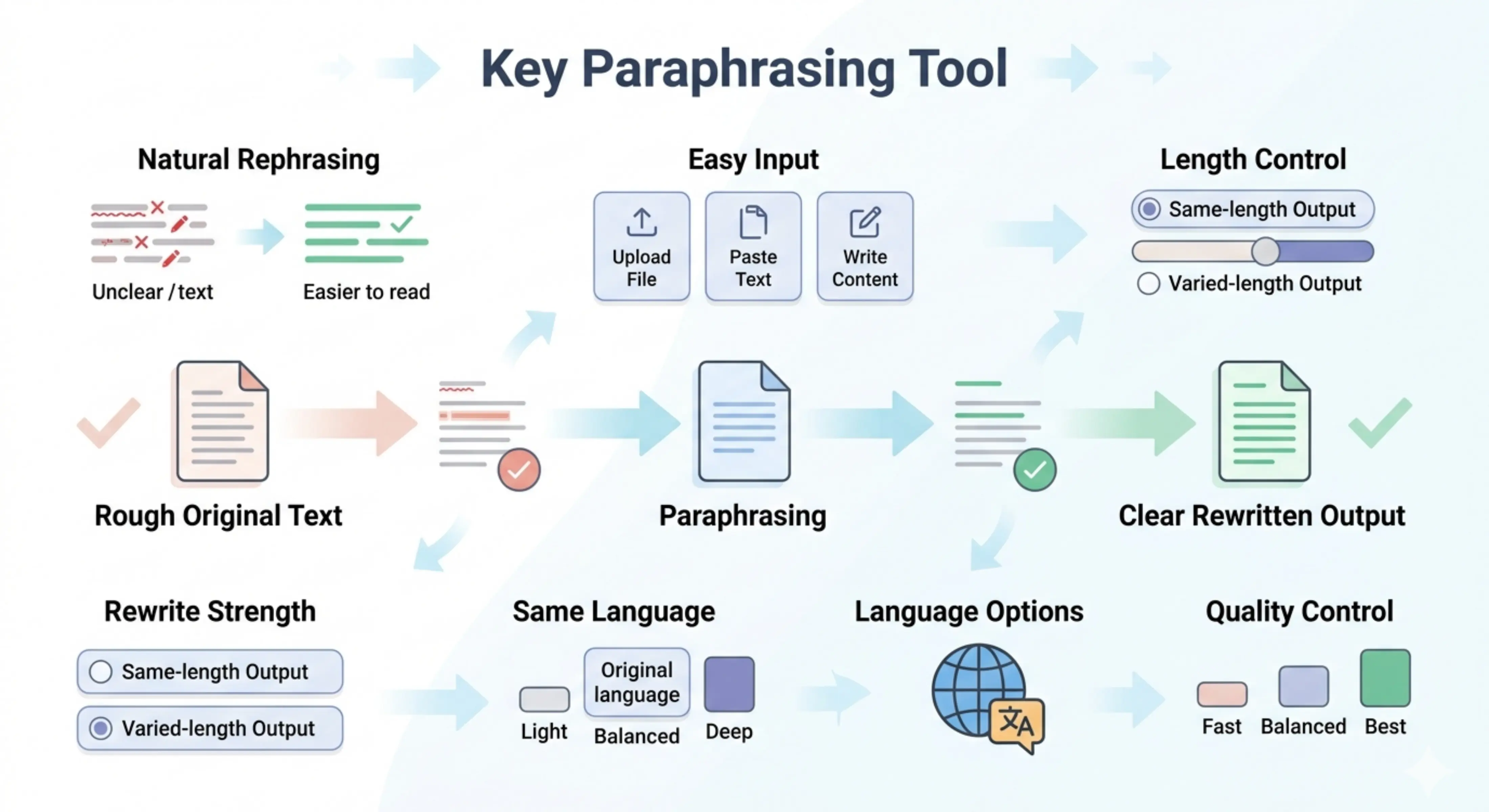
Clear and natural rephrasing
The tool rewrites your content in a cleaner way while keeping the original meaning clear and understandable.
Simple user interface
The interface is simple and easy to use. Users can upload a file, paste text, write content, choose settings, and start the process without confusion.
Same-length or varied-length output
Users can choose whether they want the output to stay close to the same length or allow the tool to vary the length based on the rewritten structure.
Rewriting strength options
The tool gives users control over how much the content should change. You can make small wording improvements, moderate changes, or deeper restructuring based on your need.
Same-language output by default
The paraphrased content is generated in the same language as the input by default, so the original context and meaning stay natural.
Choose a different output language
Users can also select another language for the output, which is useful for multilingual writing, international communication, translated content drafts, or adapting content for a different audience.
Quality control options
Users can choose how deeply the content should be prepared based on their time, purpose, and expected quality level.
Choose the right rewriting strength
Light
Best for small changes. This option keeps the original structure mostly the same and makes simple wording improvements.
Balanced
Best for regular paraphrasing. It makes moderate changes to the wording and sentence flow while keeping the content close to the original idea.
Deep
Best for stronger rewriting. This option may restructure the content more deeply, improve expression, and create a more noticeably different version while keeping the meaning connected to the original text.
Choose the right processing mode
Fast
Best for quickly creating a paraphrased version when you need a simple rewrite in less time.
Balanced
Best for most paraphrasing needs. It gives a good mix of speed and quality, making it useful for regular writing, editing, and content improvement.
Best
Best for important content that needs more careful rewriting. This mode may take more time, but the output is more focused, polished, and deeply prepared.
How to use Paraphrasing
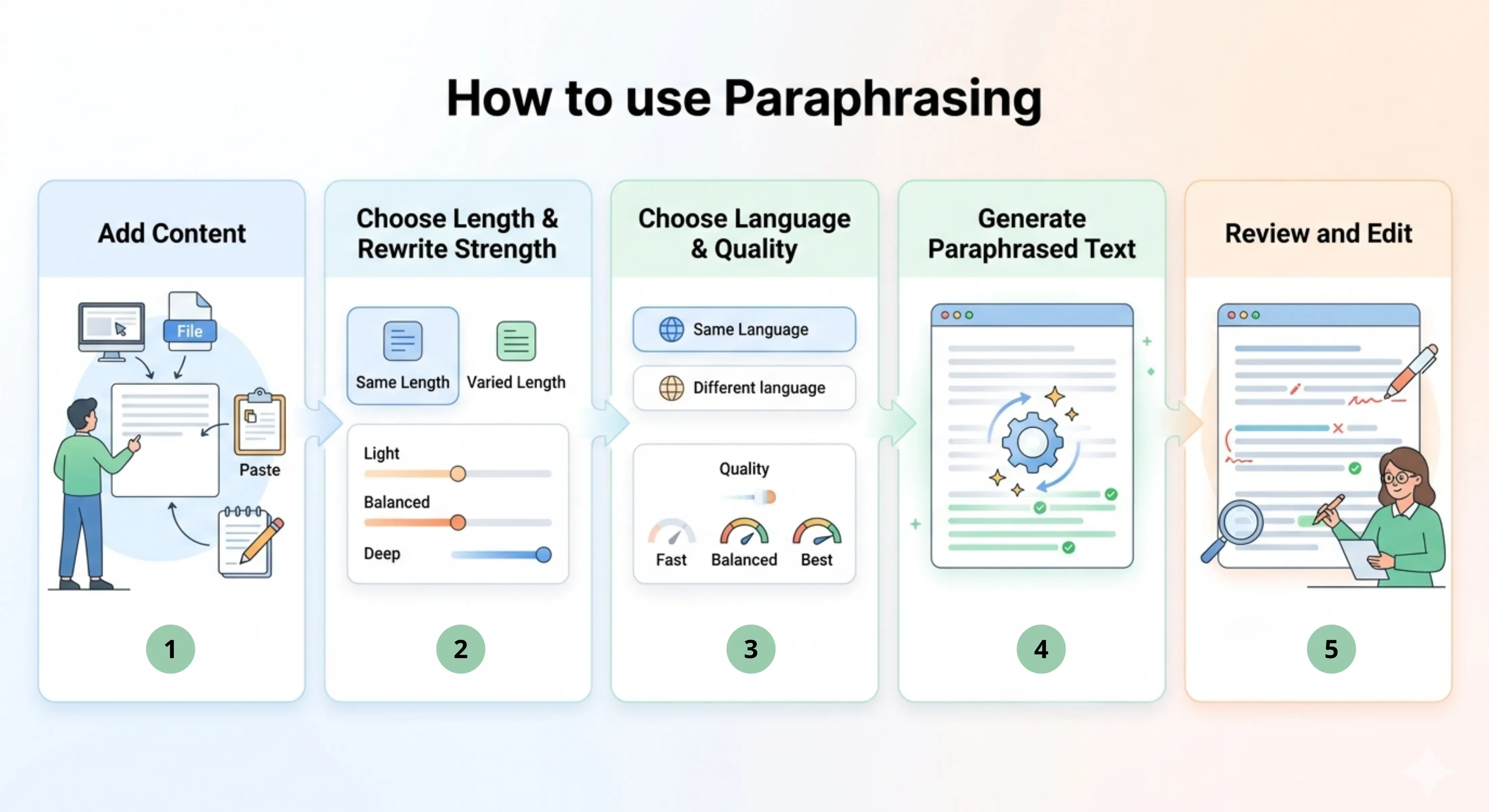
Step 1: Add your content
Upload a file, paste your text, or write your content directly into the tool.
Step 2: Choose length and rewriting strength
Select whether you want to keep the same length or vary the output length. Then choose Light, Balanced, or Deep rewriting strength.
Step 3: Choose language and quality
Keep the same output language or select another one. Then choose Fast, Balanced, or Best quality mode.
Step 4: Generate the paraphrased text
Start the process and let the tool rewrite your content into a clearer and more polished version.
Step 5: Review and edit
Read the final output, check that the meaning is correct, and make any small adjustments needed for your audience, purpose, or guidelines.
Why use a Paraphrasing tool?
Paraphrasing is not only about changing words. A good rewrite should keep the original meaning while improving clarity, tone, readability, and sentence flow. Many users already have useful content, but the wording may feel weak, repetitive, unclear, or too close to another source.
The Paraphrasing tool helps by turning existing text into a cleaner version that is easier to read and more suitable for the intended use. It saves time, reduces rewriting effort, and helps users express the same idea in a better way without starting from scratch.
Best use cases
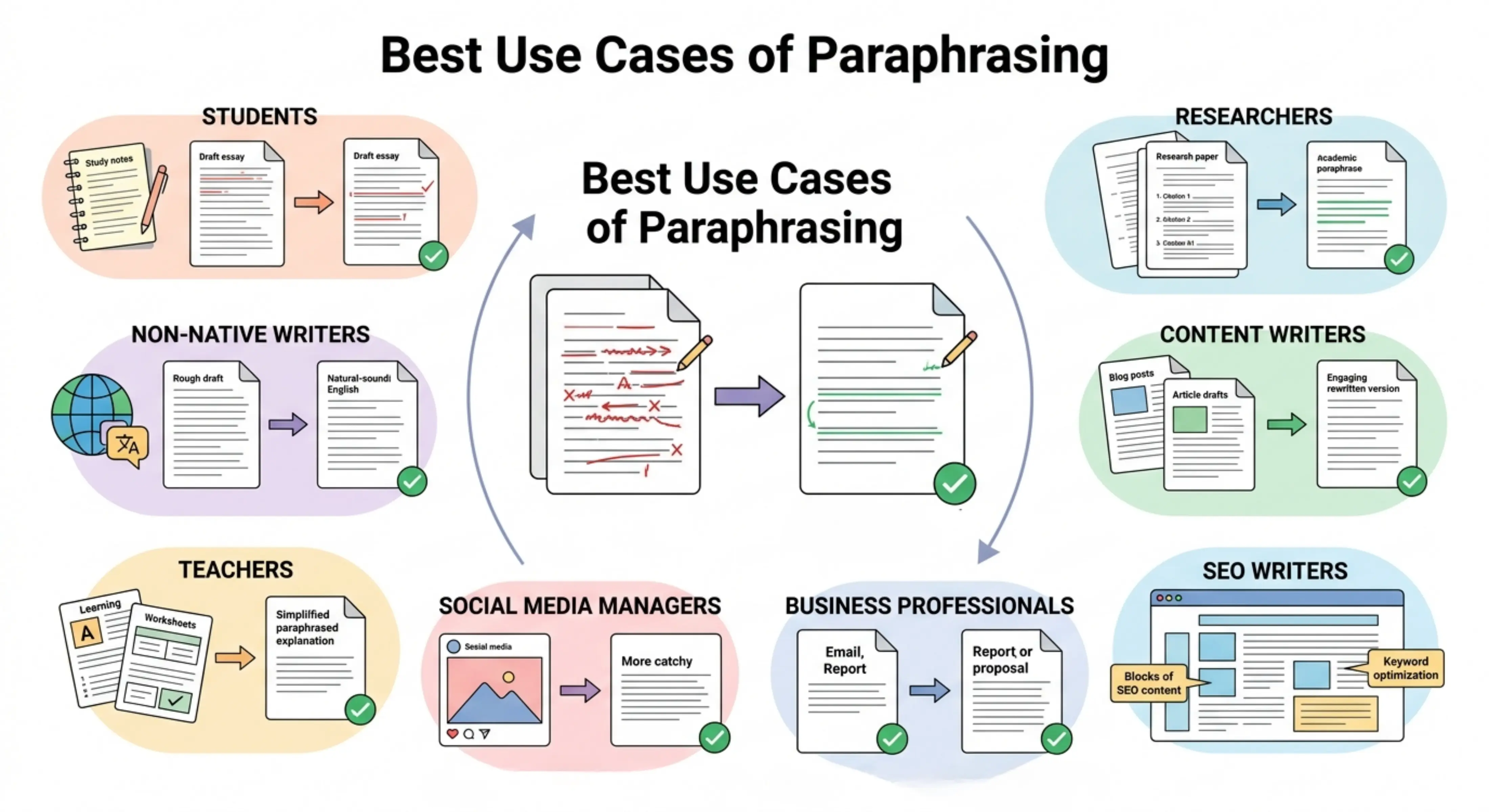
Students: Rephrase essays, assignments, notes, and study material while keeping the meaning clear and easier to understand.
Researchers: Rewrite research explanations, summaries, literature notes, or academic drafts in a clearer and more polished form.
Content writers: Refresh articles, blogs, website copy, and marketing content without losing the original message.
SEO writers: Rewrite existing content to improve readability, reduce repetition, and make the wording more natural for users and search engines.
Business professionals: Improve emails, reports, proposals, presentations, and professional communication with clearer wording.
Social media managers: Rephrase captions, post ideas, campaign text, and short-form content for different platforms and audiences.
Teachers and educators: Rewrite learning material, explanations, worksheets, or classroom content in a simpler and more understandable way.
Non-native English writers: Improve sentence structure and wording while keeping the original idea intact.
Article and blog rewriting
Use the tool to rewrite blog posts, articles, and content drafts when the wording feels repetitive, outdated, or not clear enough. It can help make the content smoother while keeping the original topic and message.
Academic paraphrasing
Turn academic notes, explanations, and draft paragraphs into clearer wording. The tool can help improve sentence flow, but users should still follow academic rules, cite sources properly, and check the final text carefully.
Website and SEO content improvement
Rewrite website sections, service pages, product descriptions, and SEO content to make them more readable and natural. This is helpful when you want to improve content without changing the main information.
Email and business communication
Rephrase emails, messages, reports, and business documents so they sound more professional, clear, and suitable for the reader.
Create paraphrased content in the same language as the input or choose a different output language when preparing content for international audiences, multilingual websites, or global communication.
Tips for better paraphrasing
Use clear input text so the tool can understand the meaning correctly.
Choose Light mode when you only need small wording changes.
Use Balanced mode for regular rewriting and everyday content improvement.
Choose Deep mode when the content needs stronger restructuring.
Use Best quality mode for important academic, professional, or SEO content.
Always review the output to make sure the meaning has not changed.
Add citations manually when paraphrasing information from another source.
Do not use paraphrasing only to hide copied content. Rewrite responsibly and follow the required guidelines.