
Writing an email can take time when your ideas are clear in your mind but difficult to organize in writing. Voice Message to Email lets you simply explain your email topic, purpose, and key points through a voice message, then turns it into a properly formatted email with clear wording, structure, and tone. You can keep the output in the same language as your voice input by default or choose a different language when needed.
What is Voice Message to Email?
Voice Message to Email is an AI writing tool that converts spoken email ideas into clean and properly written emails. Instead of typing everything manually, users can simply speak naturally about what they want to say, and the tool turns that voice message into a complete email draft.
The tool is useful for business communication, client replies, follow-ups, professional messages, personal emails, and any situation where speaking is faster than typing. It keeps the meaning of your voice input and organizes it into a clear email format with a suitable opening, body, and closing.
Add your voice message or email idea
Voice message input
Record or upload a voice message explaining what the email should be about. The tool understands the spoken content and converts it into a written email draft.
Email purpose
Explain the reason for the email, such as replying to a client, following up after a meeting, requesting information, sending an update, or writing a professional message.
Extra instructions
Add details about the tone, recipient, context, or key points you want included so the final email matches your exact purpose more clearly.
Key features of Voice Message to Email
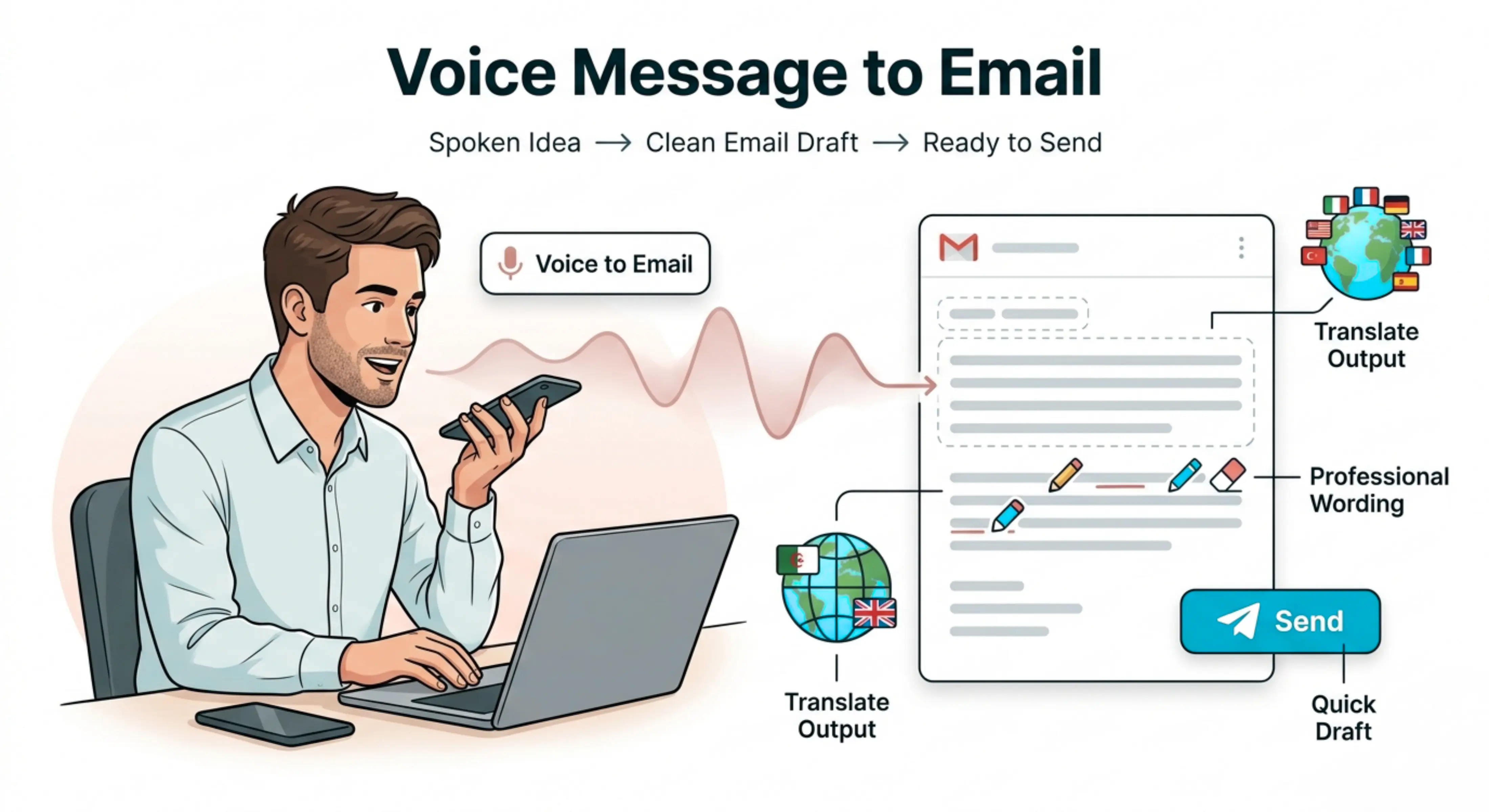
Voice-to-email conversion
The tool turns your spoken message into a properly structured email, helping you avoid writing everything manually from scratch.
Clear email formatting
The output is arranged like a real email with a natural greeting, organized body, and suitable closing, making it easier to copy, edit, and send.
Same-language output by default
The email is generated in the same language as your voice input by default, so the message stays natural and connected to the way you explained it.
Choose a different output language
Users can select another output language when they need to send an email to someone in a different language or prepare multilingual communication.
Professional wording improvement
The tool improves rough spoken ideas by removing unnecessary repetition, improving sentence flow, and making the email sound clearer and more polished.
Useful for quick communication
Users can create email drafts faster by speaking instead of typing, especially when they are busy, working on mobile, or need to send multiple emails.
Choose the right processing mode
Fast
Best for quickly creating a simple email draft when you need a quick reply or basic message in less time.
Balanced
Best for everyday email writing. It gives a good mix of speed and quality, making it useful for most professional and personal emails.
Best
Best for important emails that need more care, better structure, and stronger wording. This mode may take more time, but the result is more focused and refined.
How to use Voice Message to Email
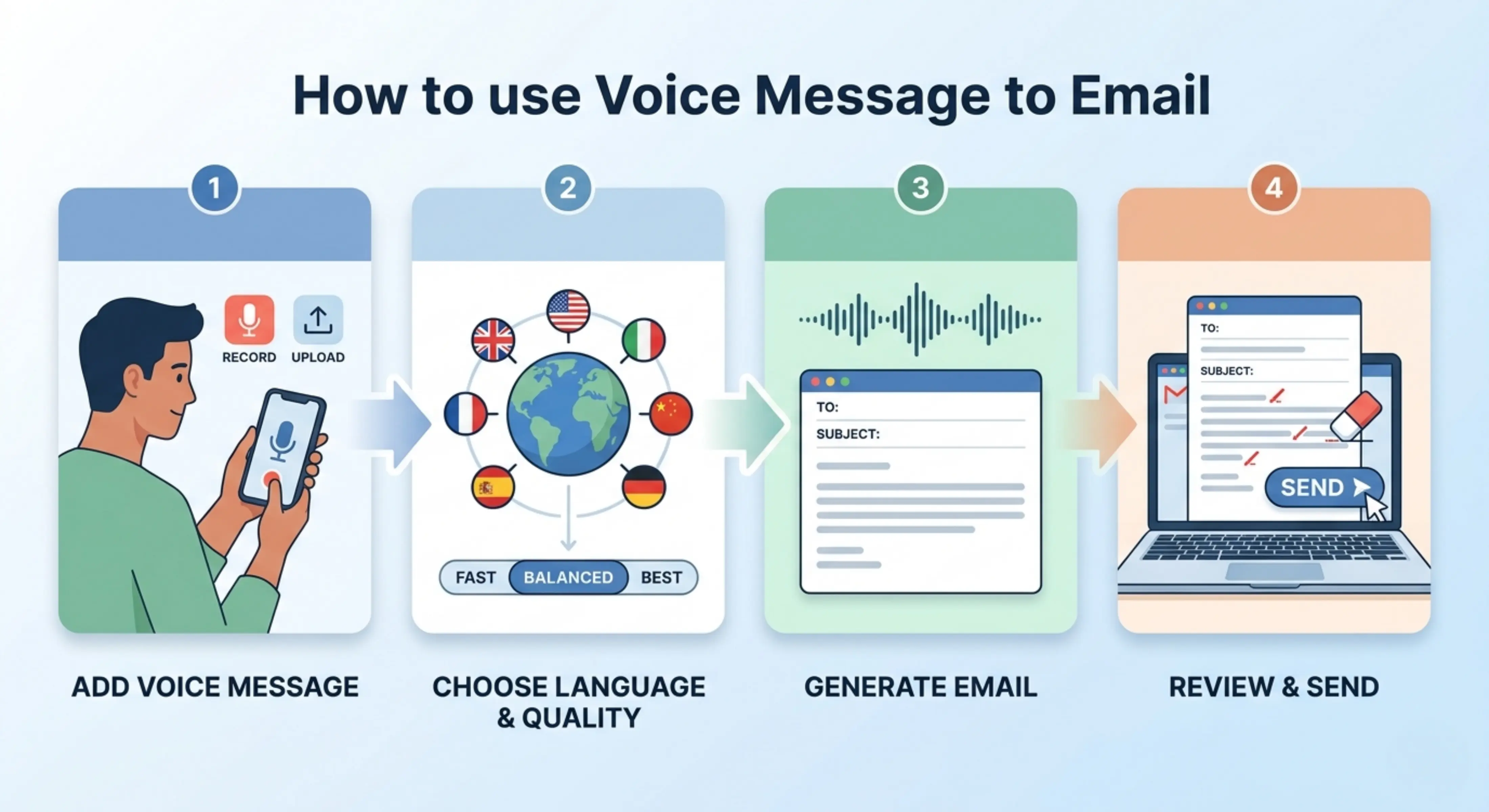
Step 1: Add your voice message
Record, upload, or provide your voice message explaining what you want to say in the email.
Step 2: Choose language and quality
Keep the same output language or select a different one, then choose Fast, Balanced, or Best mode.
Step 3: Generate your email
Let the tool process your voice message and turn it into a properly written email draft.
Step 4: Review and send
Read the generated email, check the details, make any final edits, and send it through your preferred email platform.
Why use a Voice Message to Email tool?
Many people can explain their thoughts more easily by speaking than typing. However, spoken messages often include pauses, repeated words, unfinished sentences, and informal phrasing. This can make it difficult to send the message directly as a professional email.
Voice Message to Email helps by turning natural spoken input into a clean email draft. It saves time, improves clarity, and helps users write emails without starting from a blank screen. Whether the message is for work, clients, school, support, or personal communication, the tool helps convert your spoken idea into a more organized written format.
Best use cases
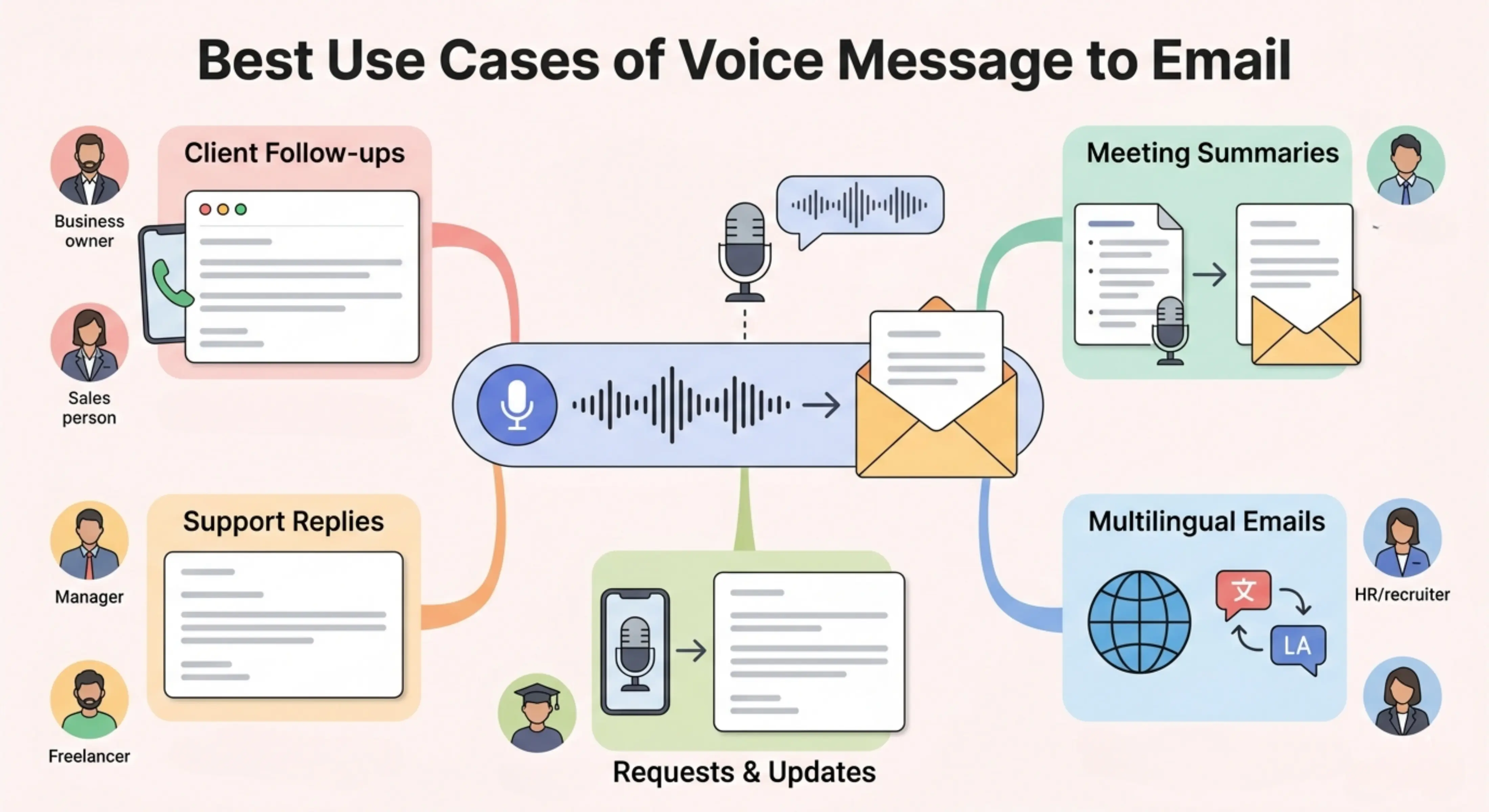
Business owners: Create quick emails for clients, partners, vendors, and team members by speaking instead of typing.
Sales teams: Turn spoken notes into follow-up emails, proposal messages, meeting replies, and outreach emails.
Customer support teams: Convert voice notes into clear customer responses, issue updates, and support replies.
Managers: Draft internal updates, task instructions, reminders, and team communication from short voice messages.
Freelancers: Create client emails, project updates, revision replies, and invoice reminders more quickly.
Students: Turn spoken ideas into emails for teachers, universities, scholarship offices, or academic departments.
Recruiters and HR teams: Prepare interview emails, candidate follow-ups, meeting confirmations, and employee communication.
Busy professionals: Write emails while on the move by explaining the message through voice and reviewing the final draft later.
Client follow-up emails
Turn a quick voice note into a professional follow-up email after a meeting, call, proposal, or sales discussion. This helps you respond faster while keeping the message clear and polite.
Meeting summary emails
Speak the main points from a meeting and generate an email that summarizes decisions, next steps, and action items in a readable format.
Customer support replies
Convert spoken explanations into helpful support emails that answer customer questions, explain issues, or provide next steps clearly.
Professional request emails
Create emails for requesting information, documents, approvals, meetings, updates, or feedback without manually writing the full message.
Multilingual email writing
Speak in one language and generate the email in the same language by default, or choose another language when writing to international clients, teams, or contacts.
Tips for better voice-to-email results
- Speak clearly and explain the main purpose of the email.
- Mention who the email is for and what you want the recipient to do.
- Include important details such as dates, names, deadlines, project information, or next steps.
- Use Balanced mode for regular emails and Best mode for important professional messages.
- Review the final email before sending to make sure all details are correct.
- Add sensitive information manually if it needs careful checking, such as prices, legal details, account numbers, or private data.