Set language and how polished the prep pack should be.
Language
Tip: Major languages work best. Very mixed-language text can be less accurate.
AI Quality
Free drafts fast. Premium/Ultimate unlock clearer, publish-ready results on Plus.
AI Generated Content
Interview talking points will appear here
Paste the role or job post. Output is Q&A you can rehearse aloud.
1Paste role / job description
2Set language & quality
3Generate interview prep
Interview Strategy Generator History
Saved items for this tool (per account)
Interview Strategy Generator Feedback
Ratings and comments from people who used this tool
No feedback yet for this tool.
Preparing for a job interview becomes easier when you know what the employer is looking for. Interview Helper analyzes the job description you provide and generates role-based interview questions, suggested answers, preparation guidelines, and key points to help you prepare with more confidence.
What is an Interview Helper?
Interview Helper is an AI interview preparation tool that helps users prepare for job interviews by analyzing the job description they are applying for.
Instead of preparing randomly or searching for general interview questions, users can paste the actual job description into the tool and generate focused interview guidance based on the role, required skills, job responsibilities, experience level, and other important details in the description.
The tool helps users understand what to prepare, how to answer common and role-specific questions, and how to present their skills in a clear and confident way.
Paste your job description
Job description text
Paste the complete job description for the role you are applying for. The tool uses the description to understand the position, required skills, responsibilities, and employer expectations.
Role requirements
The tool identifies important requirements from the job description, such as technical skills, soft skills, experience level, tools, responsibilities, and qualifications.
Interview preparation details
Based on the job description, the tool creates interview guidelines, possible questions, suggested answers, and preparation points that match the role more closely.
Key features of Interview Helper
Job description based preparation
The tool prepares interview guidance from the actual job description, so the output stays connected to the role you are applying for.
Role-specific interview questions
It generates questions that are relevant to the position, responsibilities, skills, and experience mentioned in the job description.
Suggested answers
The tool provides answer guidance to help users understand how they can respond clearly, professionally, and confidently during the interview.
Important preparation guidelines
Users get useful points about what to study, which skills to highlight, and how to align their experience with the job requirements.
Same-language output by default
The output is generated in the same language as the input by default, so the preparation feels natural and easy to understand.
Choose a different output language
Users can also select another output language, which is helpful when preparing for interviews in another country, company, or language environment.
Quality control options
Users can choose how deeply the interview preparation should be prepared based on their time, role, and level of detail needed.
Choose the right processing mode
Fast
Best for quickly generating basic interview questions, answers, and preparation points when you need a quick starting guide.
Balanced
Best for regular interview preparation. It gives a good mix of speed and quality, making it useful for most job applicants.
Best
Best for detailed interview preparation. This mode may take more time, but the output is more focused, complete, and deeply prepared according to the job description.
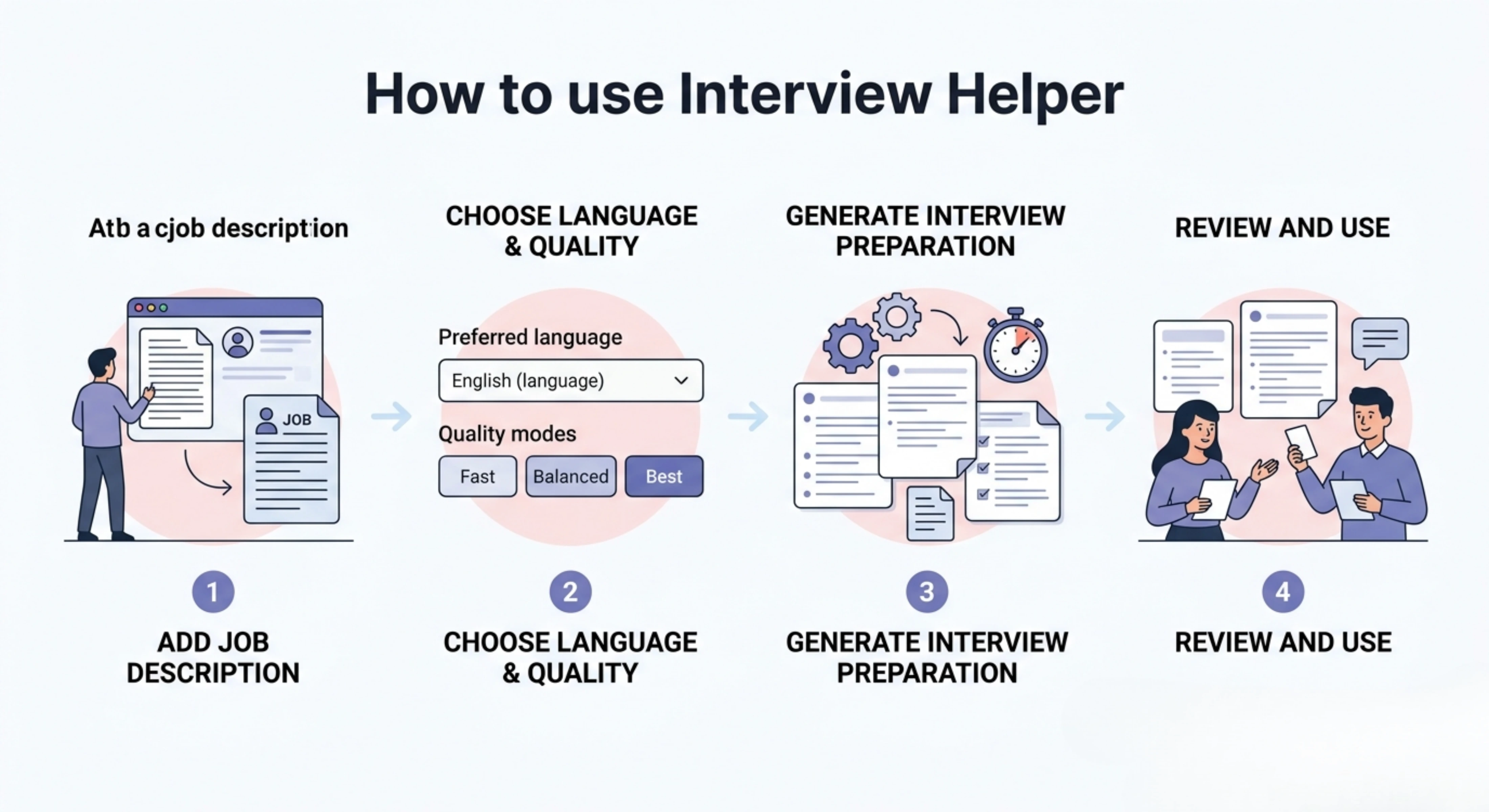
How to use Interview Helper
Step 1: Add the job description
Paste the job description for the role you are applying for into the tool.
Step 2: Choose language and quality
Keep the same output language or select a different one, then choose Fast, Balanced, or Best mode.
Step 3: Generate interview preparation material
Let the tool analyze the job description and generate interview guidelines, questions, answers, and preparation points.
Step 4: Review and Use
Review the generated material, practice the answers, adjust them with your own experience, and use the guidance to prepare for the interview.
Why use an Interview Helper?
Preparing for an interview is not only about reading common questions. Every job has different requirements, responsibilities, tools, skills, and expectations. A general list of questions may not help enough if it does not match the actual role you are applying for.
Interview Helper helps by using the job description as the base of your preparation. It gives you more focused questions, better answer direction, and clearer guidance on what the employer may care about. This helps you prepare with more confidence and saves time by showing you what matters most for that specific interview.
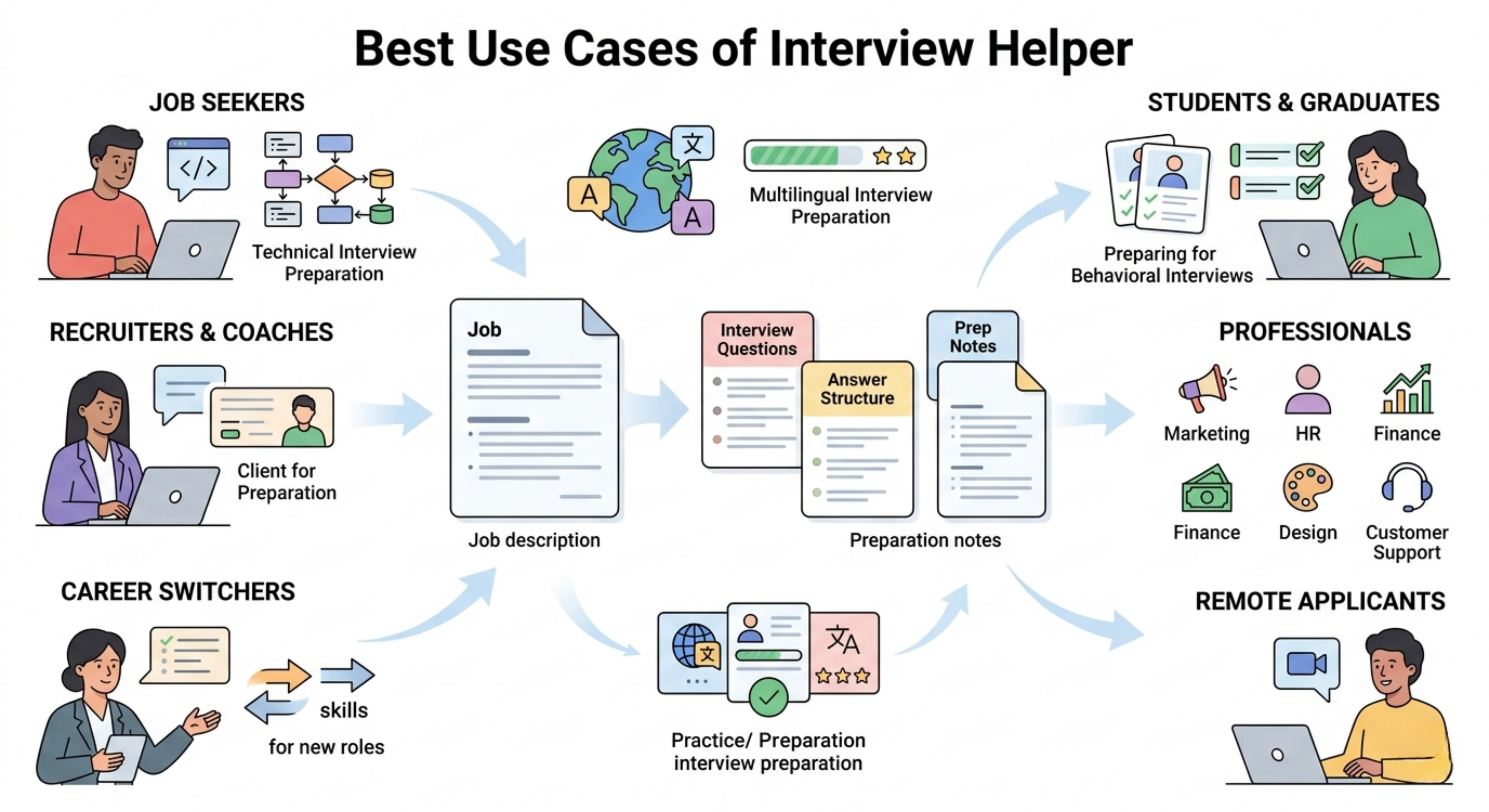
Best use cases
Job seekers: Prepare for interviews by turning job descriptions into useful questions, answers, and role-based preparation guidelines.
Students and fresh graduates: Understand what employers may ask for internships, entry-level roles, graduate programs, or first job interviews.
Professionals changing jobs: Prepare for interviews in a new company, industry, or role by focusing on the exact requirements mentioned in the job description.
Remote job applicants: Get interview preparation material for remote roles where communication, tools, collaboration, and self-management skills may be important.
Career switchers: Understand how to connect your previous experience with the skills and responsibilities required in a new role.
Recruiters and career coaches: Create interview preparation guides for candidates based on specific job descriptions and role requirements.
Technical interview preparation
Use the tool to identify likely technical questions from the job description, such as questions about tools, platforms, frameworks, software, workflows, or technical responsibilities.
Behavioral interview preparation
Generate possible behavioral questions based on responsibilities like teamwork, leadership, communication, problem solving, deadlines, and decision making.
Role-specific question practice
Prepare for questions related to a specific position, such as marketing, sales, software development, customer support, project management, design, HR, finance, or operations.
Multilingual interview preparation
Create interview preparation material in the same language as the job description, or select another language when preparing for international roles.
Tips for better interview preparation
Paste the complete job description so the tool can understand the role properly.
Include details about the company or industry if they are available in the job post.
Use Best mode when preparing for an important interview or senior role.
Practice the suggested answers and adjust them with your real experience.
Do not memorize answers word for word. Use them as guidance and speak naturally.
Prepare examples from your past work, studies, projects, or achievements.
Review the required skills and focus more on the ones repeated in the job description.
Check the company website before the interview so your answers feel more relevant.
FAQs
How can I prepare for an interview using a job description?
Start by reading the job description carefully and identifying the main responsibilities, required skills, tools, experience level, and qualifications. Interview Helper makes this easier by analyzing the description and generating interview questions, answers, and preparation guidelines based on the role.
What questions should I expect in a job interview?
The questions usually depend on the role, company, and required skills. You may be asked about your experience, technical knowledge, problem-solving ability, teamwork, communication, and past achievements. If the job description mentions specific tools or responsibilities, those areas are also likely to appear in the interview.
Can AI help me prepare for a job interview?
Yes, AI can help you prepare by analyzing the job description, creating likely interview questions, suggesting answer directions, and highlighting the most important skills to focus on. However, you should still personalize the answers with your own experience and examples.
How do I answer interview questions confidently?
A strong answer should be clear, relevant, and connected to your real experience. Try to explain the situation, what you did, and what result you achieved. You should also connect your answer back to the role so the interviewer can see why your experience matches the job.
Should I memorize interview answers?
It is better not to memorize answers word for word. Memorized answers can sound unnatural. Instead, understand the main points, practice your examples, and speak in a natural way during the interview.
Can I use Interview Helper for different job roles?
Yes, you can use it for different roles by pasting a different job description each time. The output will change based on the role, responsibilities, skills, and details in the description.
How can I make my interview answers better?
Make your answers specific, honest, and connected to the role. Add real examples, explain your contribution clearly, and show the result of your work when possible. You can use the generated answers as a starting point and then customize them with your own background.
Next in the studio
Related tools
Next steps in the Speak → Craft → Hear studio — each card shows why it fits.