Use AI Story Generator in your browser with multilingual output and private processing.
Craft step — shape wording for speaking or publishing
AI Story Generator
Studio
Original stories from titles, ideas, or voice prompts
Input
Short idea + Settings for genre, length, POV.
AI ready
0 / 100 words
Max 2 minutes
Tip: a title or one-line idea is enough — AI fills in the rest.
fantasy · 400 words · third person
AI Generated Content
Your story will appear here
Write a short idea, set genre/length/POV, then generate.
1Write a short story idea
2Open Settings for genre & length
3Generate the story
AI Story Generator History
Saved items for this tool (per account)
AI Story Generator Feedback
Ratings and comments from people who used this tool
No feedback yet for this tool.
Turn simple ideas into creative stories
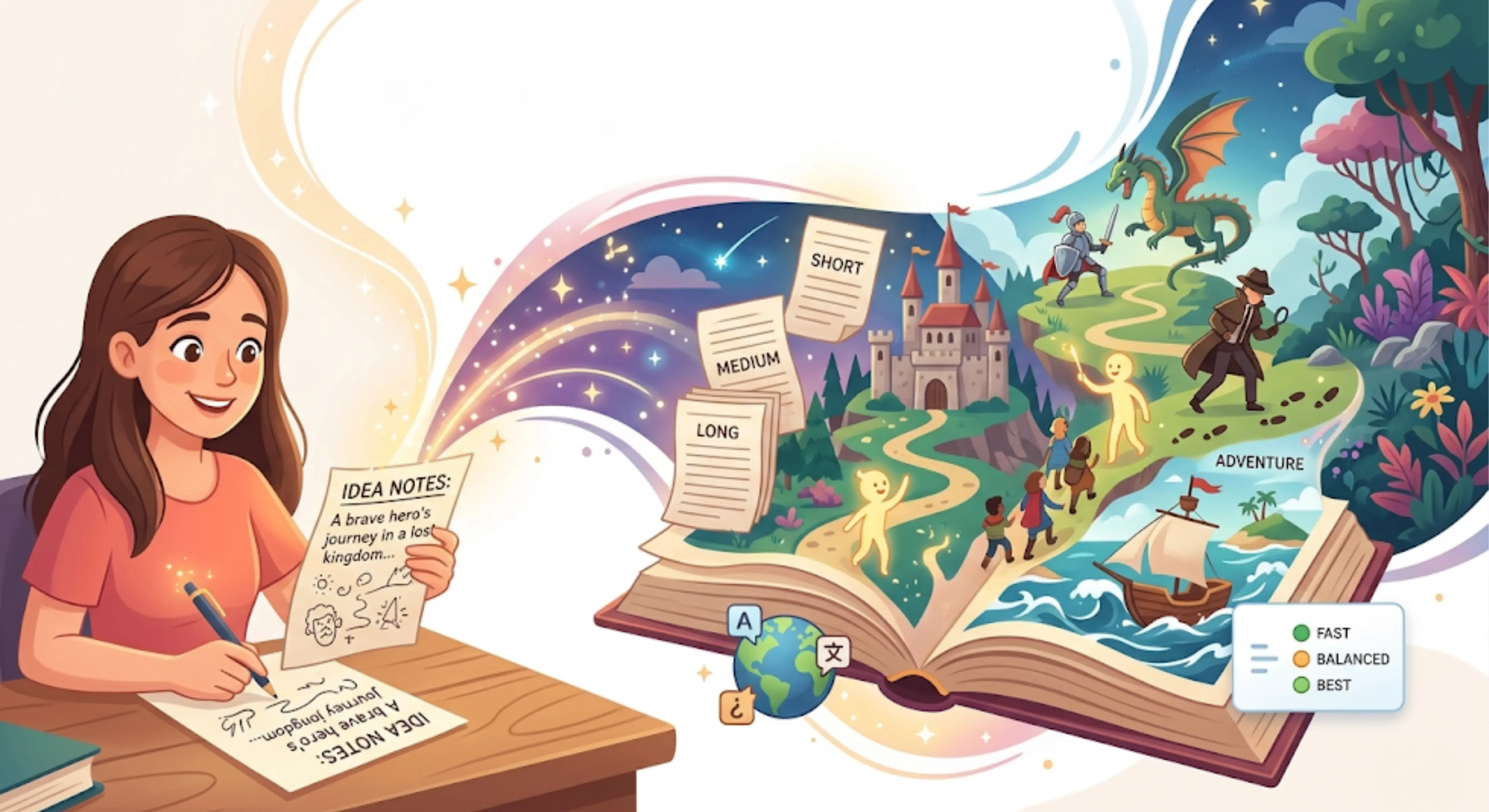
Writing a story can be difficult when you have an idea in your mind but do not know how to turn it into a complete and interesting piece of writing. Sometimes you may only have a character, a random thought, a scene, a dream, or a small concept, but not the full structure of a story.
AI Story Generator helps you turn basic ideas, prompts, and random thoughts into creative stories. Add your story idea, choose a genre, select the narrative style, set the story length, and generate a story that follows your direction in a clear and creative way.
The tool can help with short stories, fictional scenes, creative writing practice, story drafts, bedtime stories, fantasy stories, emotional stories, adventure stories, and many other types of storytelling.
What is an AI Story Generator?
AI Story Generator is a creative writing tool that helps users create stories from simple prompts, ideas, or rough thoughts.
Instead of starting from a blank page, users can enter the main idea of the story and let the tool build a complete draft around it. The story can follow a selected genre, narrative style, and length, making it easier to create writing that matches the user’s purpose.
It is useful for writers, students, content creators, teachers, parents, and anyone who wants to turn an idea into a readable story.
Add your story idea
Main story prompt
Enter the basic idea, topic, character, scene, or situation you want the story to be based on. The tool uses this prompt as the main direction for the story.
Random thoughts
You can also add rough ideas, unfinished thoughts, dream-like concepts, or small details. The tool can turn them into a more complete and organized story.
Creative direction
Add details such as character type, setting, emotion, conflict, ending style, or theme if you want the story to follow a more specific direction.
Key features of AI Story Generator
Story generation from simple ideas
The tool can create stories from short prompts, basic thoughts, or rough story concepts. This helps users move from an idea to a complete story draft faster.
Multiple genre options
Users can choose from different story genres depending on the type of story they want to create. This helps the output match the mood, style, and creative direction of the idea.
Narrative style selection
The tool allows users to select a narrative style, such as first person or third person. This helps control how the story is told and how close the reader feels to the characters.
Story length control
Users can choose different story length ranges based on their need. This is useful for quick short stories, longer creative drafts, classroom writing, or content ideas.
Same-language output by default
The story is generated in the same language as the input by default, so the original idea, tone, and context stay natural.
Choose a different output language
Users can also select another language for the output. This is helpful for multilingual storytelling, language learning, global audiences, or creative writing in another language.
Quality control options
Users can choose how deeply the story should be prepared based on their time, purpose, and expected quality.
Choose the right processing mode
Fast
Best for quickly generating a simple story draft when you need ideas, inspiration, or a quick creative starting point.
Balanced
Best for regular story writing. It gives a good mix of speed and quality, making it useful for most story drafts.
Best
Best for more detailed and carefully written stories. This mode may take more time, but the output is more focused, polished, and creatively developed.
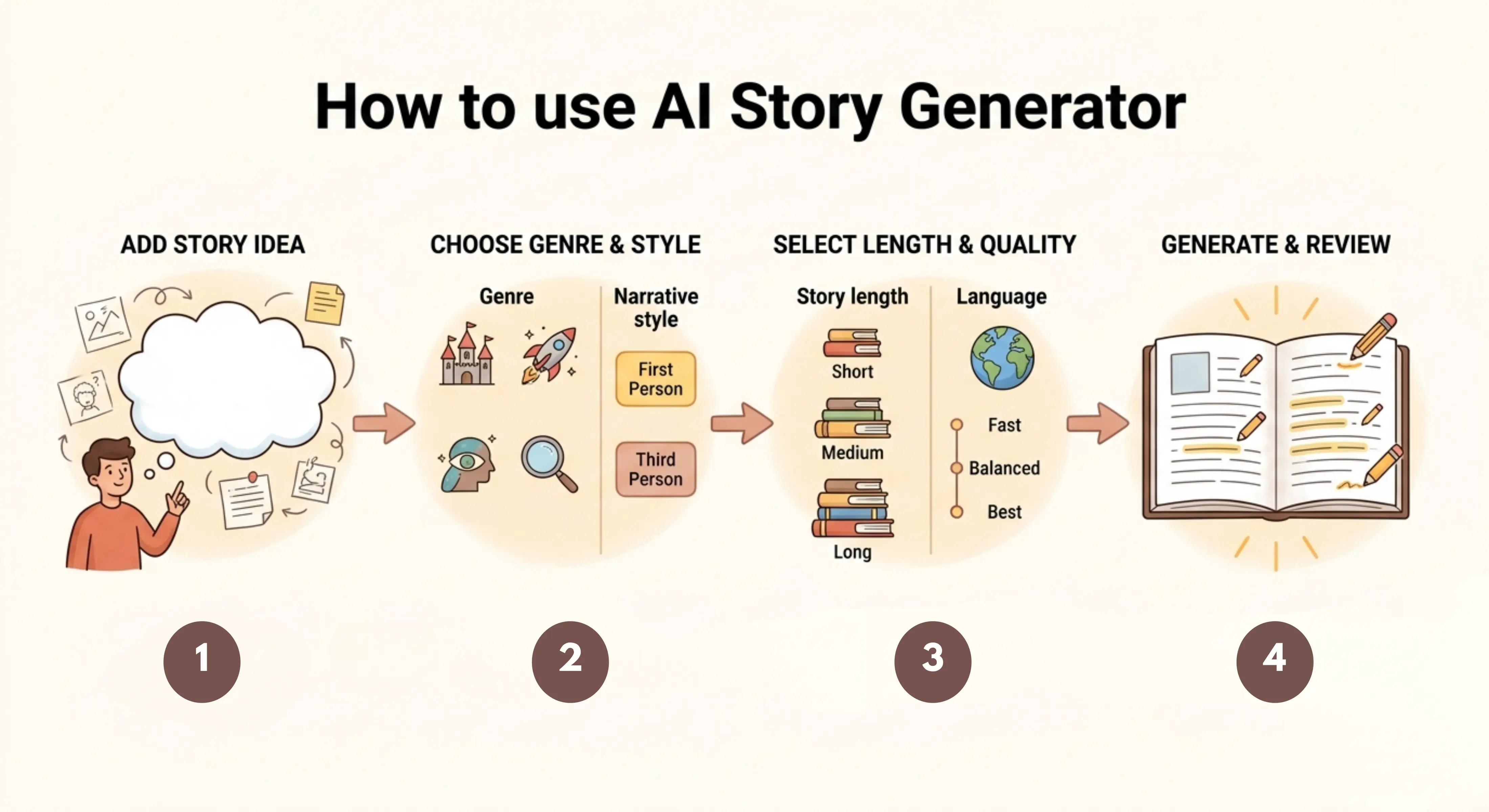
How to use AI Story Generator
Step 1: Add your story idea
Enter your main story prompt, random thought, character idea, scene, or creative concept into the tool.
Step 2: Choose genre and narrative style
Select the story genre and choose whether the story should be written in first person, third person, or another available narrative style.
Step 3: Select story length and quality
Choose the story length range, keep the same output language or select another one, then choose Fast, Balanced, or Best mode.
Step 4: Generate and review your story
Let the tool create the story, then read the result, adjust details, improve characters, or refine the ending as needed.
Why use an AI Story Generator?
Creative writing often starts with small ideas, but turning those ideas into a complete story can take time. A strong story needs structure, flow, characters, setting, conflict, and a clear direction. Many users have creative thoughts but struggle to organize them into readable writing.
AI Story Generator helps by turning simple prompts into structured story drafts. It gives users a starting point, saves time, reduces writer’s block, and helps explore different creative directions.
The tool is useful when you want to create a story quickly, practice writing, develop fictional ideas, test a plot concept, or generate content for personal, academic, or creative use.
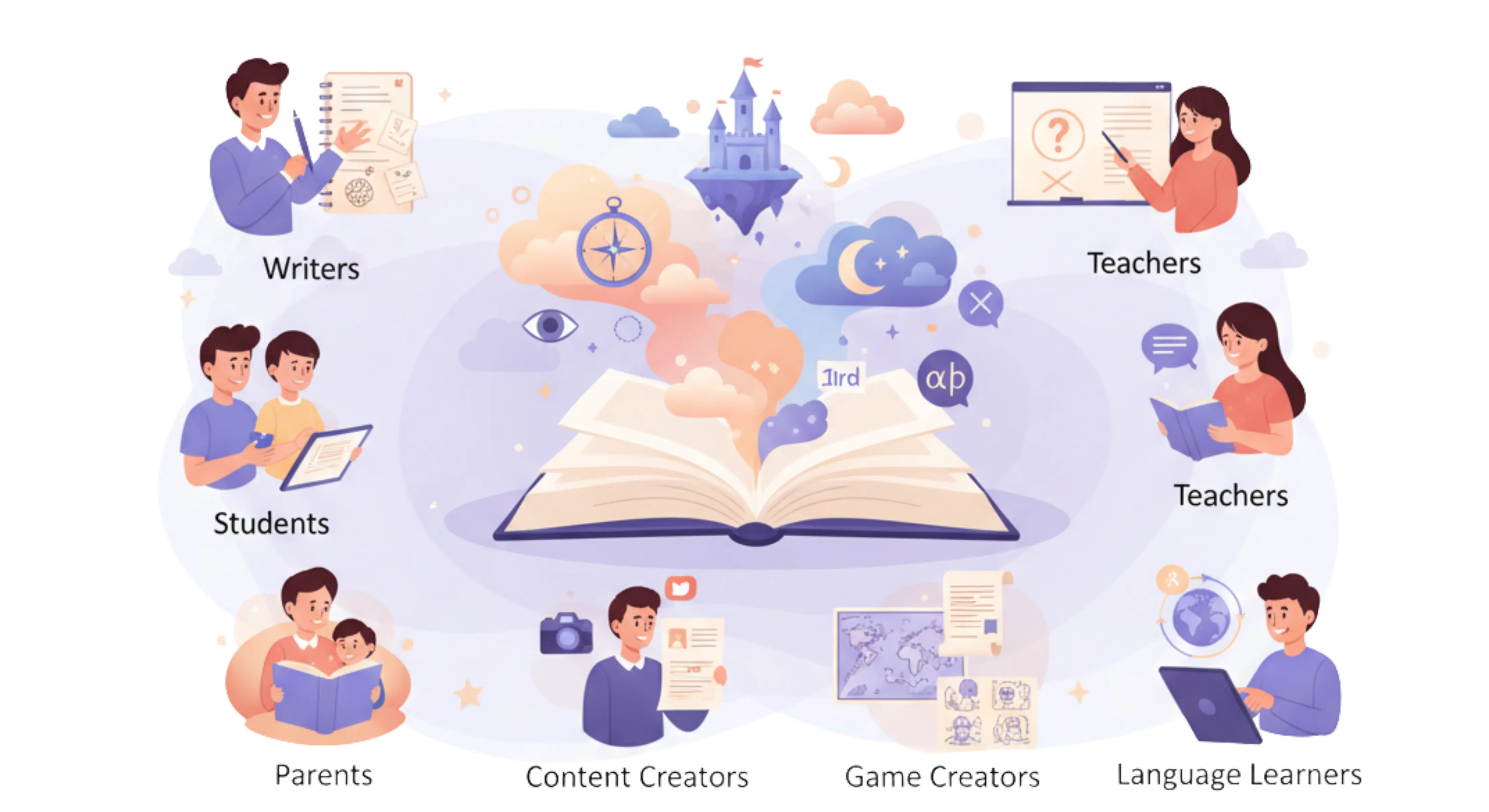
Best use cases
Writers: Turn story ideas, character concepts, and plot thoughts into creative drafts.
Students: Create short stories for assignments, writing practice, or classroom activities.
Teachers: Generate story examples, writing prompts, or creative exercises for students.
Content creators: Create fictional scenes, storytelling content, social media story ideas, or video script concepts.
Parents: Generate bedtime stories, moral stories, or fun stories for children.
Game creators: Build character backstories, quest ideas, fictional worlds, or scene-based story drafts.
Language learners: Practice reading and writing stories in different languages.
Creative short stories
Use the tool to create short stories from simple ideas. This is helpful when you need a complete story draft for practice, entertainment, or creative inspiration.
Fiction writing ideas
Turn characters, settings, conflicts, or random thoughts into fictional story drafts. The tool can help you explore different directions before developing a longer piece.
Bedtime stories
Create gentle, simple, and imaginative bedtime stories for children. You can add a theme, character, or moral lesson to guide the story.
Fantasy and adventure stories
Generate stories with magical worlds, brave characters, mysterious journeys, or exciting adventures. Select the right genre and add your main idea to shape the story.
First-person storytelling
Use first-person narration when you want the story to feel personal, emotional, or close to the character’s inner thoughts.
Third-person storytelling
Use third-person narration when you want a broader view of the story, multiple characters, or a more traditional storytelling style.
Multilingual story writing
Create stories in the same language as your input, or choose another language for creative writing, translation practice, or international audiences.
Tips for better AI-generated stories
Use a clear story idea so the tool can understand the main direction.
Add character details, setting, conflict, and desired mood if you want a more focused story.
Choose the right genre so the story matches the tone you want.
Use first person for personal and emotional stories.
Use third person for broader storytelling and traditional fiction.
Select Best mode when you want a more polished and detailed story.
Review the final story and adjust names, scenes, dialogue, or ending according to your creative purpose.
FAQs
How do I come up with a story idea when I have writer’s block?
Start with one small idea, such as a character, place, conflict, or strange situation. A story generator can help expand that rough thought into a complete draft.
What are good story prompts for beginners?
Good prompts usually include a character, setting, and problem. For example, a lost traveler, a hidden message, or a choice that changes everything.
Can AI help me write a short story without copying someone else’s work?
Yes. Use your own idea as the prompt, then review and edit the output so the final story matches your voice and purpose.
How do I make an AI-generated story sound more human?
Add clear details about emotion, tone, characters, and setting. After generating, edit the dialogue, pacing, and repeated phrases.
Should I write my story in first person or third person?
Use first person for a personal and emotional story. Use third person when you want a wider view, more characters, or a traditional storytelling style.
FAQs
How can I turn a random thought into a full story?
Build around four points: who it is about, where it happens, what problem appears, and how it ends. The tool can help connect these parts into a story.
Should I write my story in first person or third person?
Use first person for a personal and emotional story. Use third person when you want a wider view, more characters, or a traditional storytelling style.
How do I make an AI-generated story sound more human?
Add clear details about emotion, tone, characters, and setting. After generating, edit the dialogue, pacing, and repeated phrases.
Can AI help me write a short story without copying someone else’s work?
Yes. Use your own idea as the prompt, then review and edit the output so the final story matches your voice and purpose.
What are good story prompts for beginners?
Good prompts usually include a character, setting, and problem. For example, a lost traveler, a hidden message, or a choice that changes everything.
How do I come up with a story idea when I have writer’s block?
Start with one small idea, such as a character, place, conflict, or strange situation. A story generator can help expand that rough thought into a complete draft.
Next in the studio
Related tools
Next steps in the Speak → Craft → Hear studio — each card shows why it fits.