Use AI Performance Review Generator in your browser with multilingual output and private processing.
Satellite tool — plugs into Speak → Craft → Hear when useful
Performance Review Writer
Studio
Professional Corporate Action-Verbs
Input
AI ready
0 / 1000 words
Max recording length: 5 minutes.
Configuration
Set language and polish for HR-ready review language.
Language
Tip: Major languages work best. Very mixed-language text can be less accurate.
AI Quality
Free drafts fast. Premium/Ultimate unlock clearer, publish-ready results on Plus.
AI Generated Content
Performance review will appear here
Paste bullet notes or spoken feedback. Output is formal review wording.
1Paste feedback notes
2Set language & quality
3Generate the review
Performance Review Writer History
Saved items for this tool (per account)
Performance Review Writer Feedback
Ratings and comments from people who used this tool
No feedback yet for this tool.
Writing a performance review can feel difficult when you have employee achievements, work notes, strengths, weaknesses, goals, or feedback points but do not know how to turn them into a formal and balanced review. Performance Review Generator helps you convert rough points into clear, refined, and professional feedback that sounds suitable for workplace evaluations, HR records, manager reviews, self-assessments, team feedback, and formal performance discussions.
What is a Performance Review Generator?
Performance Review Generator is an AI writing tool that helps users create professional performance reviews from rough notes, employee data, manager feedback, self-review points, or workplace observations.
Instead of spending time trying to organize scattered feedback into a polished review, users can upload their data or paste their points directly into the tool. The tool then turns that information into a clear, formal, and well-structured performance review that is easier to read, share, edit, and use in professional settings.
Upload or paste your performance review details
Employee performance notes
Add rough points about an employee’s work quality, achievements, behavior, communication, teamwork, leadership, reliability, or improvement areas and turn them into a complete review.
Manager feedback
Paste feedback from a manager, supervisor, team lead, or department head and convert it into a refined performance review written in a professional tone.
Self-review points
Use your own work achievements, completed tasks, goals, challenges, and learning progress to create a formal self-performance review.
Workplace evaluation data
Add role details, KPIs, project results, targets, responsibilities, strengths, weaknesses, and future goals so the review can reflect the employee’s actual performance more accurately.
Key features of Performance Review Generator
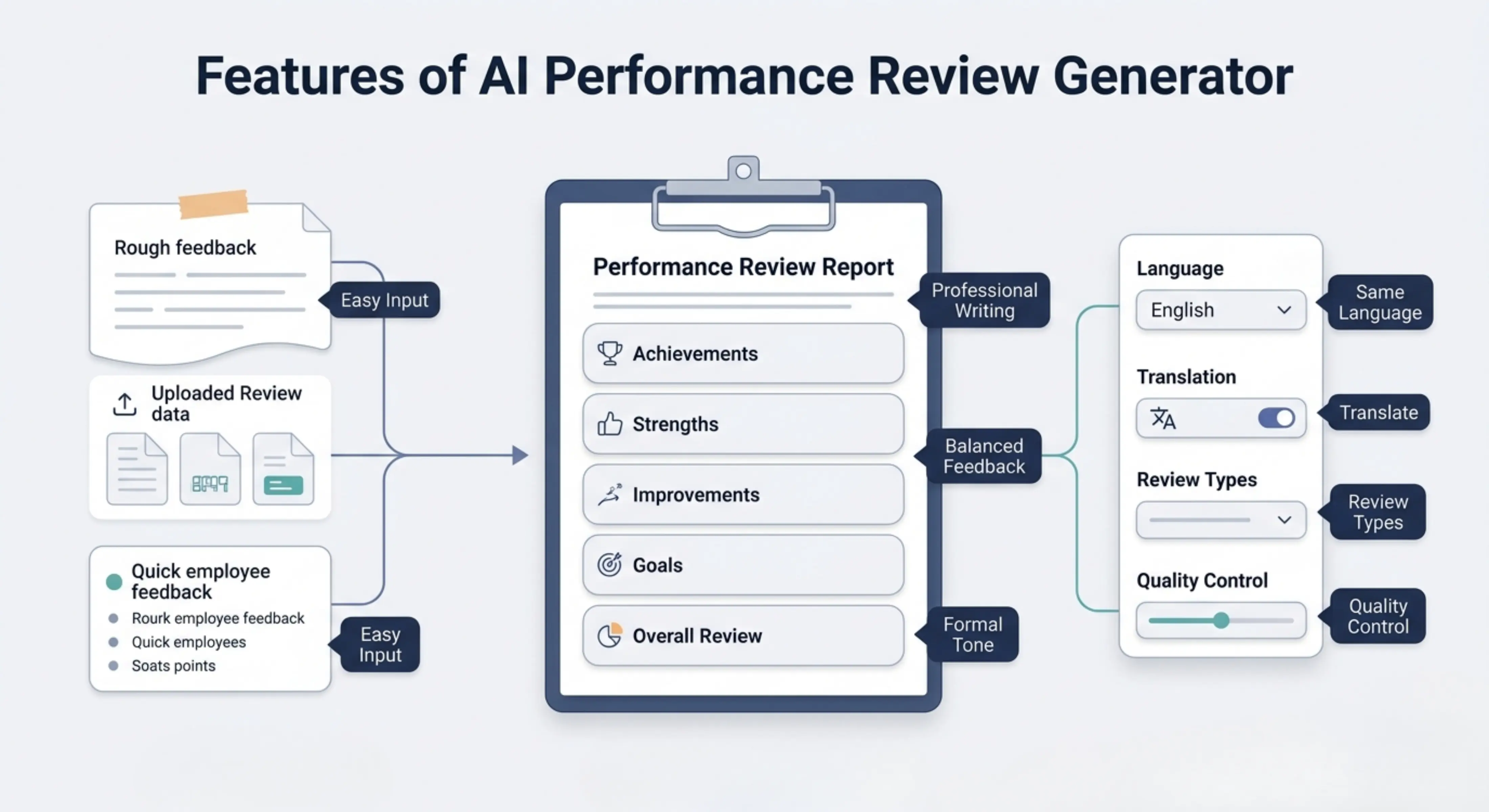
Professional review writing
The tool turns simple or rough feedback points into polished performance reviews that sound formal, respectful, and suitable for workplace use.
Balanced feedback structure
The generated review can include achievements, strengths, areas for improvement, future goals, and overall performance comments in a clear structure.
Formal workplace tone
The output is written in a professional tone, helping users avoid overly casual, unclear, harsh, or emotional wording.
Easy data input
Users can upload their review data or paste their notes directly, making the tool useful for both detailed employee records and quick feedback points.
Same-language output by default
The review is generated in the same language as the input by default, so the original meaning, tone, and workplace context remain natural.
Choose a different output language
Users can also select another language for the review, which is useful for international teams, multilingual companies, remote employees, or global HR communication.
Useful for different review types
The tool can help create manager reviews, employee self-reviews, peer feedback, annual reviews, probation reviews, promotion feedback, and development-focused evaluations.
Quality control options
Users can choose how detailed and refined the review should be based on their time, purpose, and level of quality needed.
Choose the right processing mode
Fast
Best for quickly creating a simple performance review draft when you need a polished starting point in less time.
Balanced
Best for regular performance review writing. It gives a good mix of speed and quality, making it useful for most workplace evaluations.
Best
Best for detailed and carefully prepared reviews. This mode may take more time, but the output is more focused, complete, refined, and suitable for important review situations.
How to use Performance Review Generator
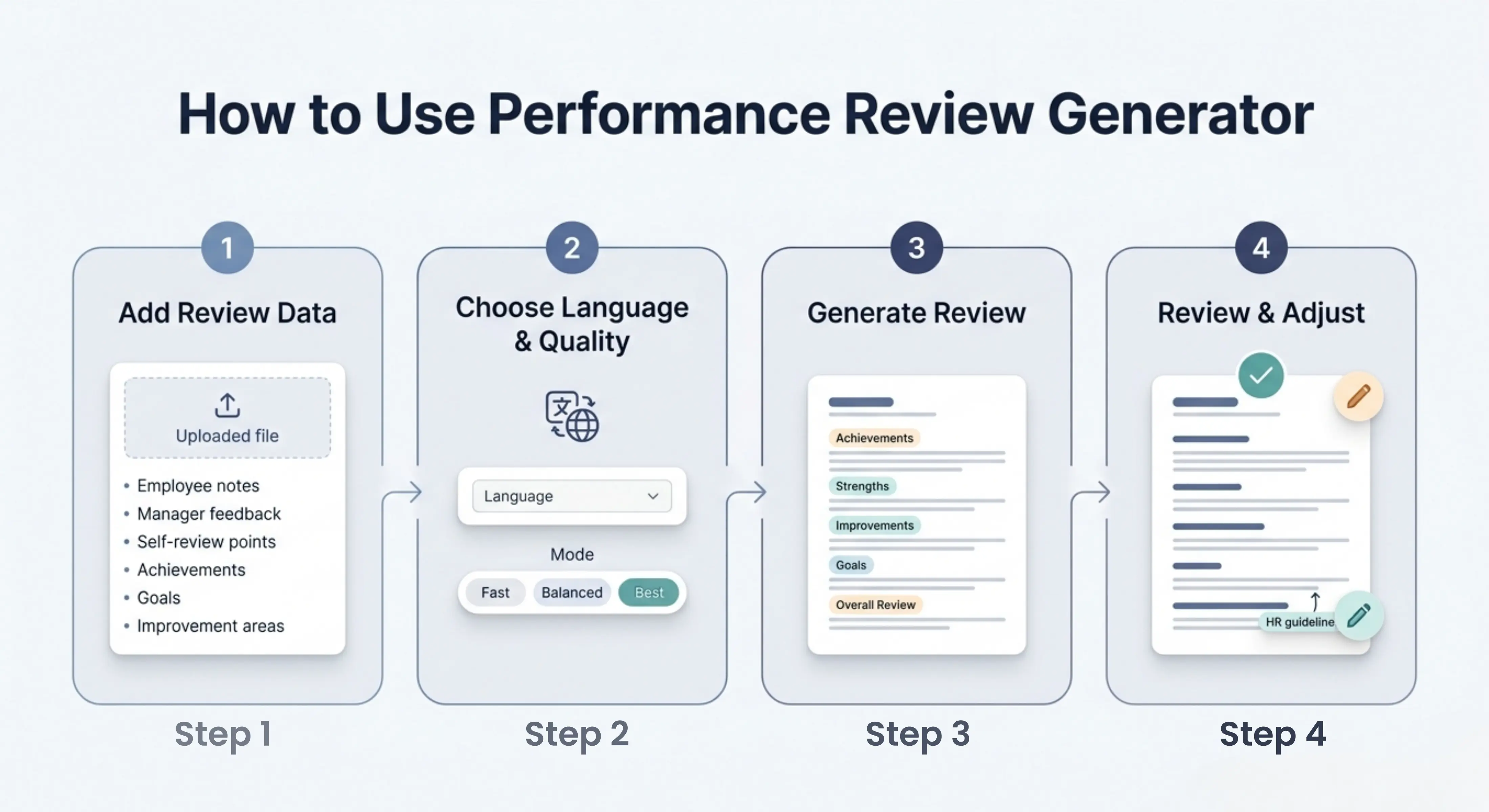
Step 1: Add your review data
Upload your performance review file or paste employee notes, manager feedback, self-review points, achievements, goals, or improvement areas directly into the tool.
Step 2: Choose language and quality
Keep the output in the same language as your input or select another language, then choose Fast, Balanced, or Best mode.
Step 3: Generate your performance review
Let the tool process your data and turn your rough points into a formal and professional performance review.
Step 4: Review and adjust
Read the final review, check the details, add any missing examples, and adjust the wording according to your company’s review format or HR guidelines.
Why use a Performance Review Generator?
Writing a performance review requires more than listing what someone did well or where they need improvement. A useful review should be clear, fair, specific, professional, and easy to understand. Many managers, HR teams, employees, and business owners already have the right feedback points but struggle to present them in a structured and balanced way.
Performance Review Generator helps by turning rough notes into a polished review draft that saves time and reduces writing pressure. It helps users communicate feedback more clearly, avoid confusing wording, and prepare reviews that feel more complete, respectful, and suitable for formal workplace use.
Best use cases
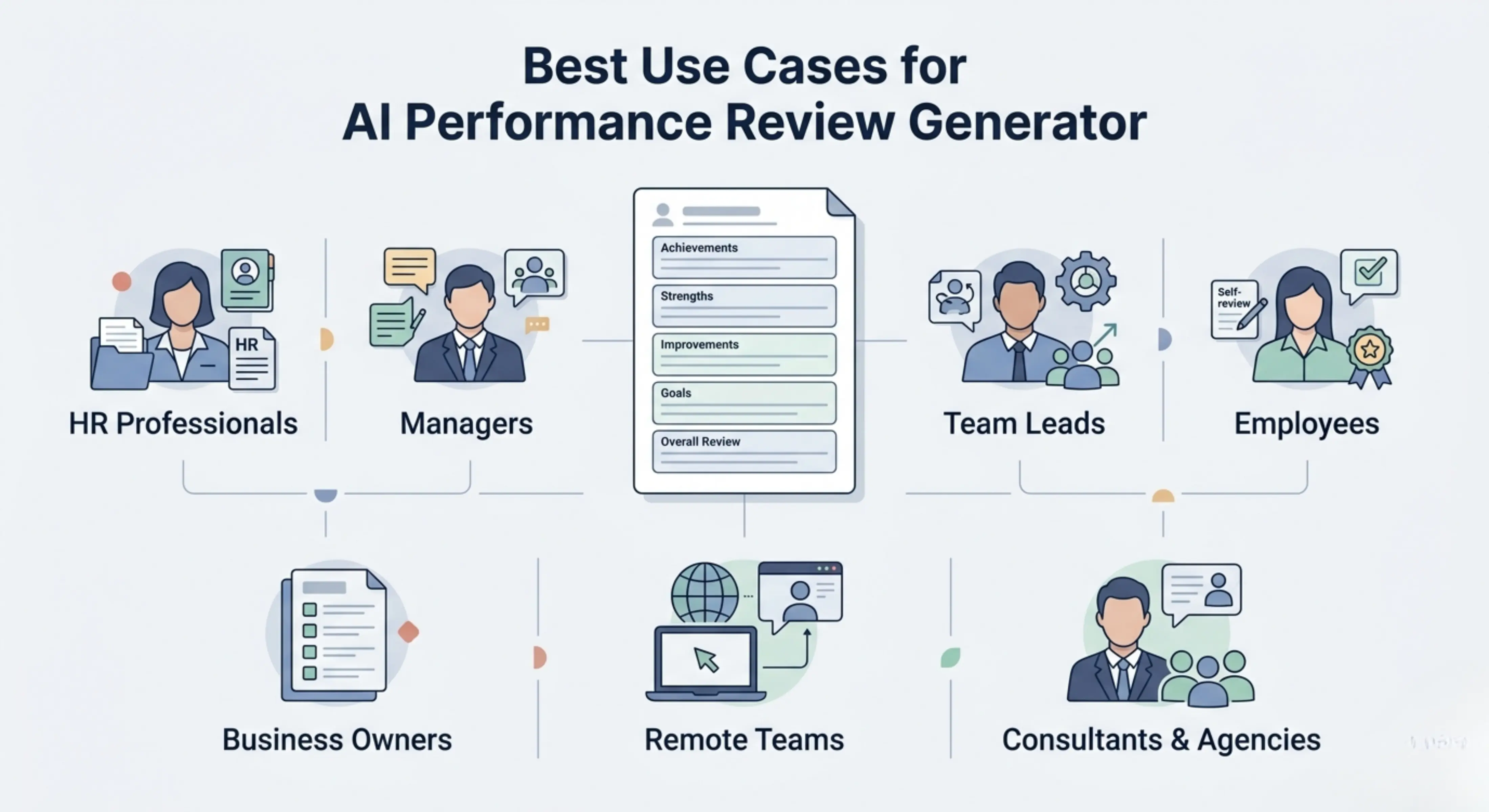
HR professionals: Create polished performance review drafts for employees, teams, departments, appraisal cycles, and internal evaluation records.
Managers: Turn quick feedback notes into professional reviews that explain employee strengths, results, improvement areas, and future goals.
Team leads: Prepare review comments for team members based on project performance, collaboration, communication, and task completion.
Employees: Write clear self-performance reviews that explain achievements, challenges, learning progress, and goals for the next review period.
Business owners: Create structured employee reviews without spending too much time writing formal evaluation documents from scratch.
Remote teams: Prepare clear performance feedback for remote employees, freelancers, contractors, and distributed team members.
Consultants and agencies: Generate professional review drafts for staff, clients, project teams, or outsourced personnel using provided performance notes.
Annual performance reviews
Create formal annual review drafts that summarize employee performance, achievements, strengths, challenges, improvement areas, and future goals.
Employee self-assessments
Turn personal work notes into a professional self-review that highlights contributions, completed tasks, learning progress, and areas for growth.
Manager feedback reviews
Convert manager observations into balanced feedback that is clear, respectful, and suitable for employee evaluation meetings.
Promotion and appraisal feedback
Prepare review comments that explain why an employee is ready for growth, promotion, added responsibility, or further development.
Probation review writing
Create structured probation review feedback that explains performance, role fit, strengths, concerns, and next steps.
Peer review feedback
Turn peer feedback points into professional comments that focus on collaboration, communication, reliability, teamwork, and work quality.
Performance improvement feedback
Write improvement-focused reviews that explain development areas clearly without sounding overly negative or harsh.
Multilingual performance reviews
Generate reviews in the same language as the input or choose another language for global teams, international employees, or multilingual HR communication.
Tips for better performance reviews
· Add specific examples of completed work, achievements, goals, and responsibilities.
· Include both strengths and improvement areas so the review feels balanced.
· Mention measurable results when possible, such as targets completed, projects delivered, deadlines met, or performance improvements.
· Use Best mode when the review is for an annual appraisal, promotion decision, formal HR record, or sensitive feedback conversation.
· Review the final output carefully and make sure it matches your company’s review policy, tone, and evaluation criteria.
· Avoid adding private, biased, or unnecessary personal details that are not related to workplace performance.
FAQs
How do I write a good performance review for an employee?
Start with the employee’s role and key responsibilities, then mention their achievements, strengths, challenges, and areas where they can improve. Use clear examples when possible and keep the tone professional, fair, and helpful.
What are good examples of performance review comments?
Good performance review comments are specific and connected to real work. For example, instead of saying “good employee,” a stronger comment would explain how the employee completed tasks on time, supported the team, improved a process, handled customers well, or showed leadership during a project.
How do I write a self-performance review?
A self-performance review should explain what you achieved, what goals you completed, what challenges you faced, what skills you improved, and what you want to work on next. It should be honest, professional, and focused on your work contribution.
How can I write performance review goals?
Performance review goals should be clear, realistic, and measurable. Instead of writing a broad goal like “improve communication,” write a more specific goal such as improving weekly reporting, responding faster to team updates, or leading project communication more clearly.
Can AI write performance reviews?
Yes, AI can help write performance review drafts, improve wording, organize feedback, and make rough points sound more professional. However, the final review should still be checked by a human to make sure it is accurate, fair, specific, and suitable for the workplace.
How do I make a performance review sound professional?
Use clear, respectful, and specific language. Avoid emotional wording, vague comments, or casual phrases. A professional review should focus on work behavior, results, responsibilities, goals, and improvement areas.
Next in the studio
Related tools
Next steps in the Speak → Craft → Hear studio — each card shows why it fits.