Use Plagiarism Remover in your browser with multilingual output and private processing.
Craft step — shape wording for speaking or publishing
Plagiarism Remover
Rephrase for originality • Browser-only
Input
Paste or upload the draft you want to rewrite, then choose how strongly the wording should change.
AI ready0 / 1000 words
Rewrite Settings
Control how much the wording changes while keeping the meaning intact.
Rewrite strength
Length
Language
Tip: Major languages work best. Very mixed-language text can be less accurate.
AI Quality
We will rewrite your text to sound original while preserving the same meaning.
Clean Draft
Use the refined version directly, or send it into another tool for the next step.
Your rewritten draft will appear here
Paste the text you want to rewrite, choose how deeply to change it, and generate a cleaner original version.
1Paste your draft
2Pick rewrite strength
3Generate clean version
Plagiarism Remover History
Saved items for this tool (per account)
Plagiarism Remover Feedback
Ratings and comments from people who used this tool
No feedback yet for this tool.
Writing original content can be difficult when your text sounds too similar to existing sources, reference material, or AI-generated drafts. The Plagiarism Remover helps you rewrite your content in a cleaner and more original way while keeping the main meaning clear.
Upload your file, paste your text, choose how strongly you want the content rewritten, and generate a plagiarism-free version that is easier to read, review, and use.
What is a Plagiarism Remover?
Plagiarism Remover is a writing support tool that helps users rewrite copied, duplicated, or similarity-heavy text into more original wording.
Instead of manually changing sentences one by one, users can use the tool to improve sentence structure, replace repeated wording, and make the content sound more natural while keeping the original idea connected to the input.
Upload or paste your content
Text files
Upload your document, article, essay, assignment, report, or written draft and turn it into a cleaner rewritten version.
Written text
Paste or write your content directly into the tool and remove plagiarism from it in a few simple steps.
Draft content
Add rough, copied, or similarity-heavy content and let the tool rewrite it into a more original and readable version.
Key features of Plagiarism Remover
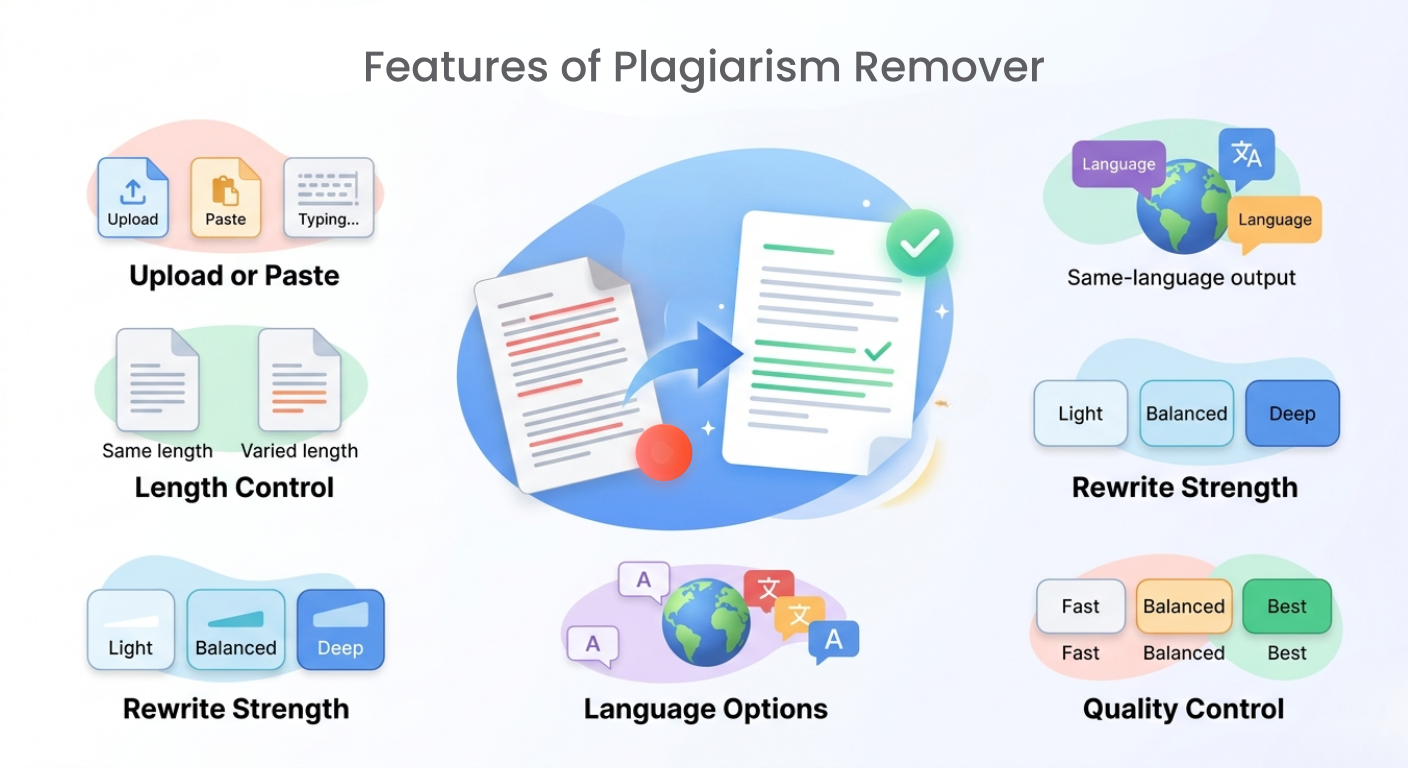
Accurate plagiarism removal
The tool rewrites the given text with good accuracy so the output becomes more original while keeping the main context clear.
Simple content input
Users can upload a file, paste content, or write text directly into the tool without dealing with a complicated interface.
Same-length or varied-length output
Users can choose to keep the rewritten content close to the same length or allow the output length to vary depending on the rewriting needs.
Rewriting strength options
The tool gives different rewriting levels so users can control how much the content should change.
Same-language output by default
The rewritten content is generated in the same language as the input by default, so the meaning and flow stay natural.
Choose a different output language
Users can also select another language for the final output, which is helpful for multilingual writing, translation-based rewriting, or international content needs.
Quality control options
Users can choose how deeply the content should be rewritten based on their time, purpose, and required quality level.
Choose the right rewriting strength
Light
Best for small changes when you only want to improve wording, reduce direct similarity, and keep the original structure mostly the same.
Balanced
Best for regular plagiarism removal. It makes moderate changes to the wording and sentence flow while keeping the meaning clear.
Deep
Best for stronger rewriting. It can restructure the content more deeply and create a more original version of the given text.
Choose the right processing mode
Fast
Best for quickly rewriting content when you need a simple plagiarism-free draft in less time.
Balanced
Best for everyday rewriting. It gives a good mix of speed and quality, making it useful for most content improvement tasks.
Best
Best for detailed and carefully rewritten content. This mode may take more time, but the output is more focused, polished, and deeply prepared.
How to use Plagiarism Remover
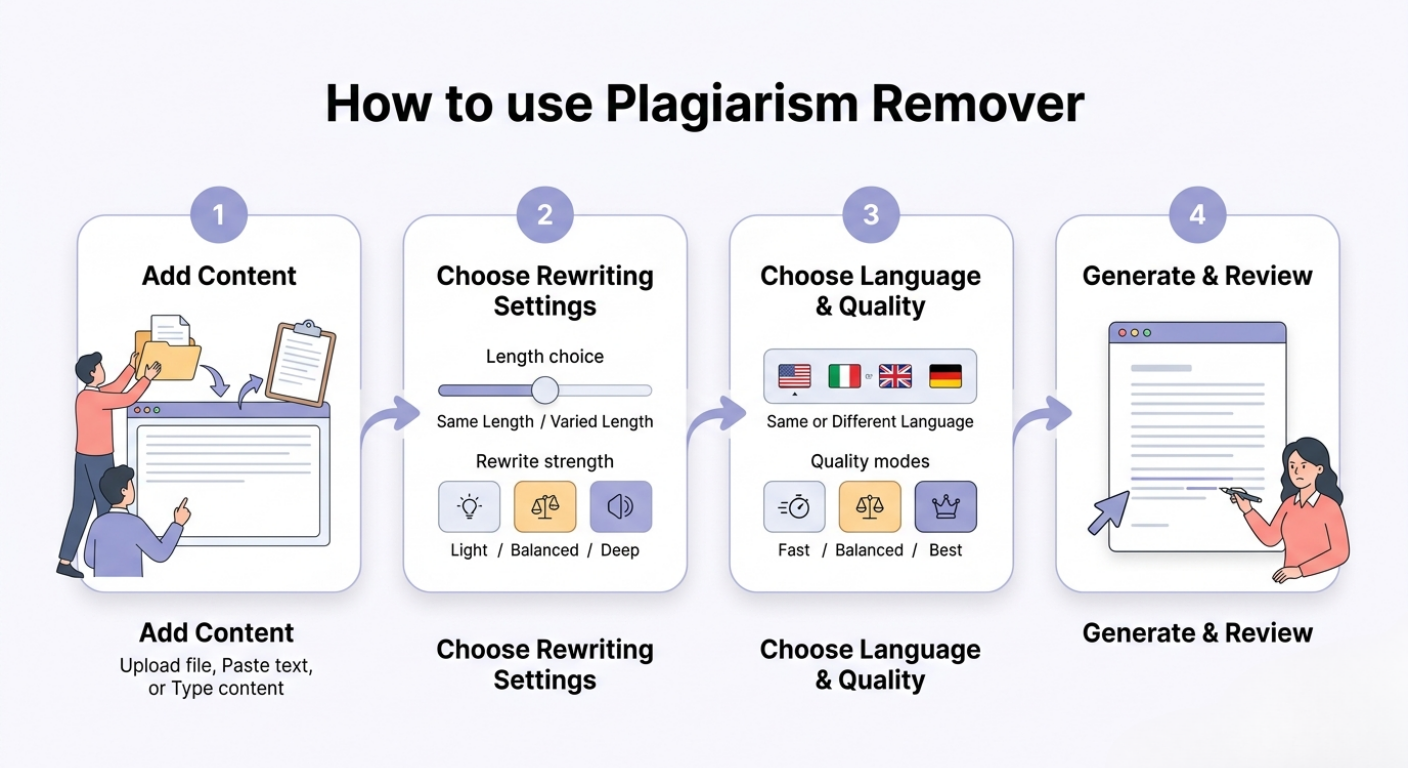
Step 1: Add your content
Upload your file, paste your text, or write the content directly into the tool.
Step 2: Choose rewriting settings
Select whether you want to keep the same length or allow varied length, then choose Light, Balanced, or Deep rewriting strength.
Step 3: Choose language and quality
Keep the same output language or select another one, then choose Fast, Balanced, or Best mode.
Step 4: Generate and review
Start the process, read the rewritten output, and make any final edits before using or submitting the content.
Why use a Plagiarism Remover?
Plagiarism issues can happen when content is copied from references, written too closely to source material, or repeated from previous drafts. Even when the idea is yours, the wording may still look too similar and need to be rewritten properly.
Plagiarism Remover helps by turning the given text into a more original version with improved wording and structure. It saves time, reduces manual rewriting effort, and helps users prepare content that sounds clearer, fresher, and more natural.
Best use cases
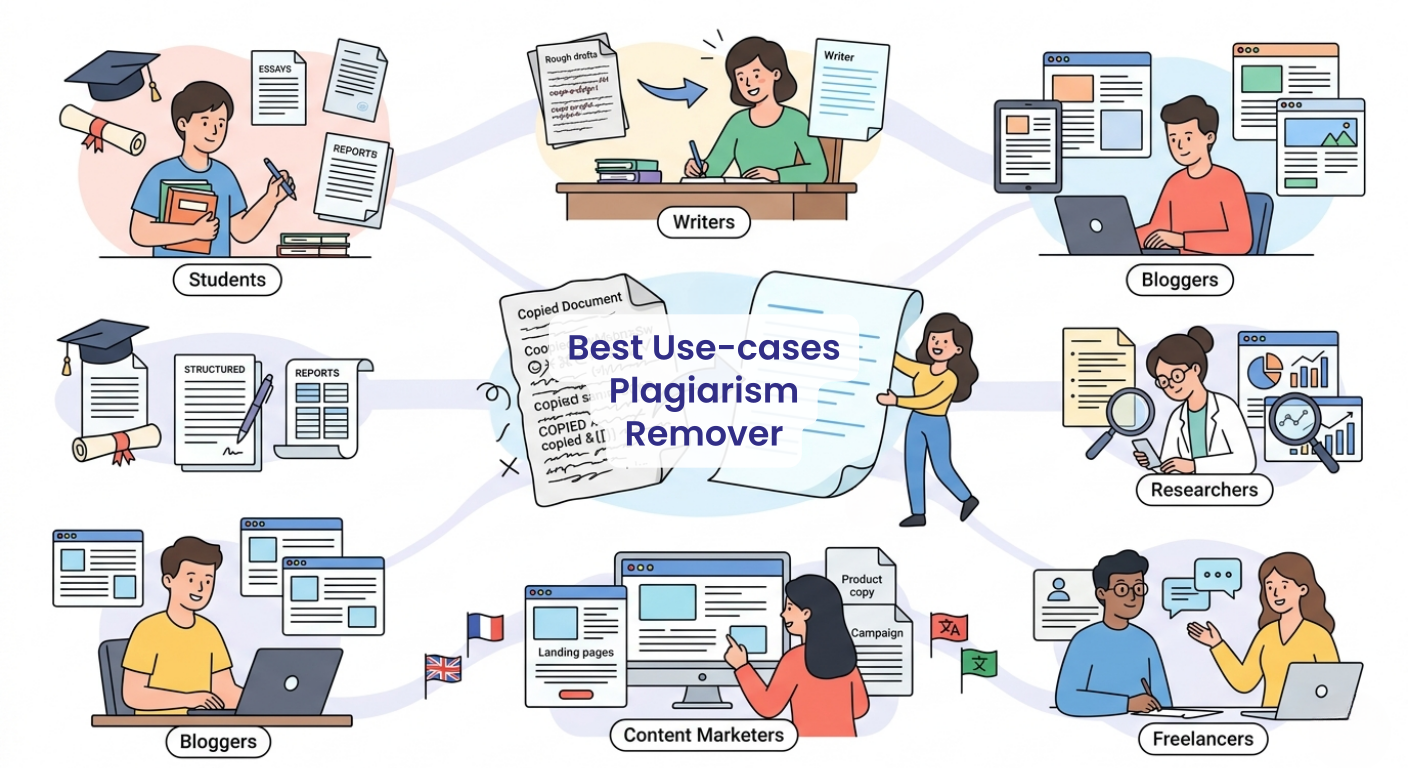
Students: Rewrite assignments, essays, reports, and academic drafts to reduce similarity and improve originality.
Writers: Improve copied, repeated, or rough content drafts into cleaner and more unique writing.
Bloggers: Rewrite article sections, web content, or blog drafts while keeping the main topic and intent clear.
Researchers: Rephrase background sections, summaries, and research explanations in a more original way.
Freelancers: Rewrite client-provided content and make it cleaner, more readable, and less duplicated.
Academic writing
Use the tool to rewrite essays, assignments, project reports, and study material into clearer and more original wording.
Blog and article rewriting
Turn copied or repeated article sections into fresh content that reads naturally and keeps the main idea intact.
Website content improvement
Rewrite landing pages, service descriptions, product copy, or old website content to make it more unique and polished.
Research and reference rewriting
Use the tool to rephrase research notes, background information, or reference-based content while keeping the original meaning.
Multilingual plagiarism removal
Rewrite content in the same language as your input, or choose another language when preparing content for a different audience.
Tips for better plagiarism removal
● Use clear input text so the tool can understand the original meaning correctly.
● Choose Light mode when you only need small wording changes.
● Choose Deep mode when the content needs stronger rewriting and restructuring.
● Review the final output before submitting or publishing it.
● Always check facts, references, names, numbers, and citations manually.
● For academic work, make sure you still follow your institution’s plagiarism and citation rules.
FAQs
How can I remove plagiarism from my content?
You can remove plagiarism by rewriting the content in your own words, changing sentence structure, improving phrasing, and properly citing sources where needed. A plagiarism remover helps speed up this process by creating a more original version of the given text.
Can AI remove plagiarism from text?
Yes, AI can help rewrite text, reduce repeated wording, and improve originality. However, users should still review the final output, check accuracy, and make sure any required citations or references are included.
Is using a plagiarism remover allowed?
A plagiarism remover can be useful for rewriting and improving content, but it should be used responsibly. For academic or professional work, the final content should still follow originality, citation, and submission guidelines.
What is the difference between paraphrasing and plagiarism removal?
Paraphrasing means rewriting content in different words while keeping the same meaning. Plagiarism removal is broader because it focuses on reducing similarity, improving originality, and making the content safer to use after review.
Can I remove plagiarism without changing the meaning?
Yes, the goal is to rewrite the content while keeping the original meaning clear. Using Light or Balanced rewriting can help preserve the meaning while still changing the wording and sentence flow.
Does plagiarism remover work for essays and assignments?
Yes, it can help rewrite essays, assignments, and academic drafts. However, students should review the output carefully, add proper citations, and make sure the final work follows their school or university rules.
What makes rewritten content better and more original?
Good rewritten content keeps the main idea but changes repeated wording, sentence structure, flow, and expression. It should sound natural, readable, and not like a simple word-for-word replacement.
Next in the studio
Related tools
Next steps in the Speak → Craft → Hear studio — each card shows why it fits.