Best Action Item Tracker for Teams 2026 | Free & AI-Powered
You know how it goes. You finish a meeting feeling productive, everyone nods, and then three days later nothing has moved. No one remembers who said they'd handle what. The notes are scattered across two docs and a chat thread. This is not a time management problem, it is a capture problem.
Tasks that are not tracked are tasks that disappear. The good news is that in 2026, you do not need a complicated system to fix it. A good action item tracker, especially one backed by AI, handles the capture so your team can focus on the actual work.
What You Need In Your Action Items Extractor
Expectations have shifted. Teams are faster, more distributed, and less tolerant of extra admin work. A good tracker today needs to do more than just hold a list.
Here is what actually matters:
Easy to use from day one - No onboarding, no training required
Clear ownership for each task - Every item should have one name attached to it
Simple sharing - Your team should be able to see the list without chasing a link
Fits into how you already meet - Zoom, Google Meet, async recordings, it should not matter
Fast output - From meeting end to task list should take minutes, not half an hour
Key features to look for
Direct Extraction:Extracts tasks from meeting transcripts with no reformatting needed
Clear Ownership:Identifies the task, who owns it, and when it should be done
Wide Compatibility:Works with transcripts from most major meeting platforms.
Unassigned Alerts:Flags items that have no assigned owner so nothing slips through unnoticed.
Private Processing:Keeps your data secure without requiring syncing with third-party calendars or inboxes
Manual vs AI action item tracking
Manual tracking works, but it struggles in fast-moving meetings where things get missed. AI simplifies the process by turning conversations into clear, structured tasks in minutes.
Use AI Action Item Extractor by VoiceCraftTool
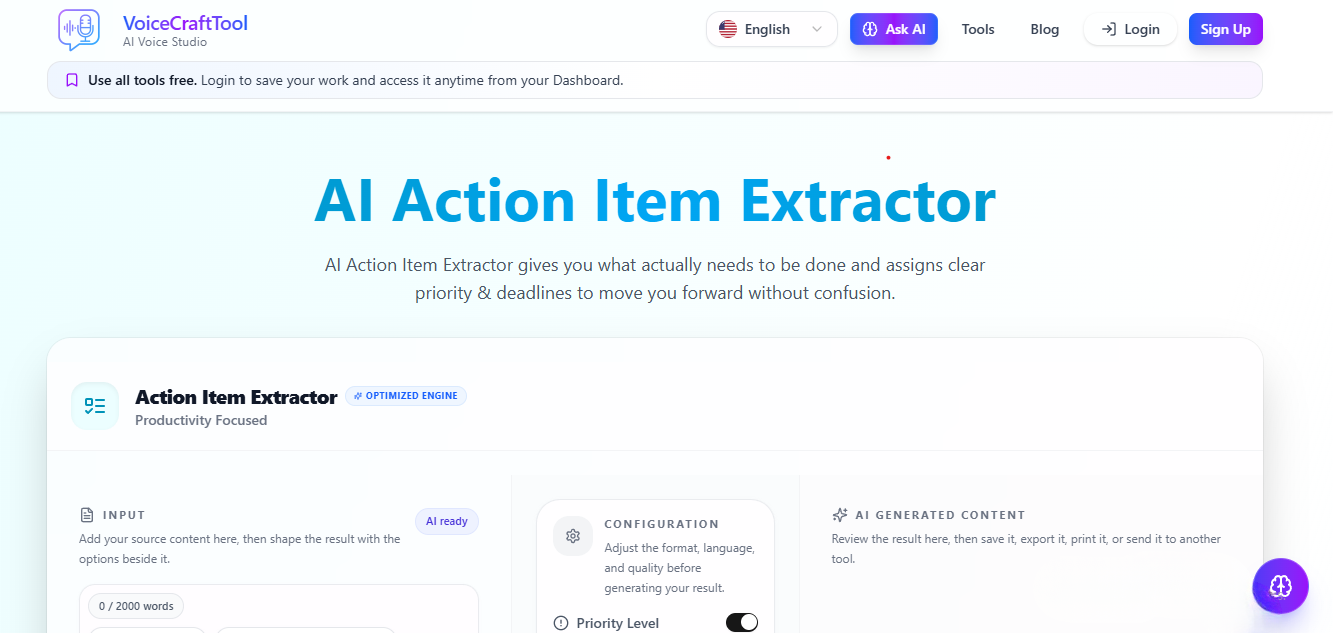
If your team struggles to keep track of tasks after meetings, this tool solves that directly. The AI Action Item Extractor by VoiceCraftTool takes your meeting transcript and turns it into a clear list of action items without manual effort.
Instead of writing notes during a call or trying to remember what was decided, you get structured tasks with ownership and context in minutes. It fits into your current workflow and removes the usual friction that causes tasks to get lost. It is also 100% free for now, so you can try it without any commitment.
Key features by VoiceCraftTool:
Pulls tasks from conversations turns raw meeting transcripts into clear, usable action items without extra work
Shows who is responsible connects each task to the right person so there is no confusion later
Works with your existing meetings supports transcripts from tools your team already uses
Highlights missing ownership points out tasks that were mentioned but not assigned to anyone
Keeps everything private processes your content without forcing you to connect accounts or sync data
How to Use (Step by Step Guide)
Getting this into your team's routine takes four steps and a few minutes.
Step 1: Get your transcript
Most video meeting tools generate this automatically. If yours does not, a simple recording with auto-transcription works too.
Step 2: Paste it into the tool
No cleanup needed. Drop in the raw transcript.
Step 3: Review the extracted tasks
Check the list, confirm ownership, and adjust anything the tool flagged as unclear.
Step 4: Share with your team
Copy the final list into your team channel, project doc, or task board, wherever your team already checks in.
That is it. No new platform to log into every day.
Common use cases
Team standups and weekly syncs
recurring meetings where the same tasks tend to carry over week to week. A tracker stops items from aging quietly in the background.
Client calls and client
Commitments need clear ownership on your side. An AI extractor makes sure nothing promised in a call goes untracked.
Remote and async collaboration
When not everyone is on the same call at the same time, a shared task list from each session keeps everyone aligned regardless of timezone.
Planning sessions
Quarterly or sprint planning often generates a high volume of tasks. Manual capture here is especially error-prone. AI extraction handles the volume cleanly.
Tips for better results
Speak clearly and directly when assigning tasks in meetings
Avoid talking over each other at key decision points
Review unassigned items before sharing the list
Keep transcripts focused
Things to avoid
Relying on memory alone, even for short meetings
Using a different tool for every project until no one knows where the source of truth is
Letting tasks sit without a named owner
Adding so many status fields and labels that maintaining it becomes the job
Conclusion
The reason action items get lost is simple, capturing them well under meeting conditions is genuinely hard. The answer is not discipline or better habits, it is reducing the friction. A straightforward tracker, and increasingly an AI-assisted one, means your team spends less time reconstructing what was decided and more time actually doing it. If your current process involves scrolling back through a chat to find what you agreed to, it is worth trying something built for this.
FAQs
What is an action item tracker?
It is a tool or system that records tasks from meetings, identifies who is responsible for each one, and gives your team a shared reference point to follow up from.
How do teams track action items?
Some teams use shared documents, others use project management software, and a growing number use AI tools that extract tasks directly from meeting transcripts. The right approach depends on team size and how frequently you meet.
Can AI extract action items from meetings?
Yes. Transcript-based AI tools can identify tasks, owners, and deadlines from a meeting recording or text transcript with reasonable accuracy, especially when the meeting audio and transcript quality are clean.
Is it better than a task management tool?
They serve different purposes. A task management tool stores and organizes tasks over time. An action item extractor focuses on getting tasks out of conversations quickly. Many teams use both, extract first, then move items into their main tool.
Does it work with any meeting platform?
Most AI extractors work from plain text transcripts, so as long as your platform provides a transcript, the source platform usually does not matter.