How to Record and Transcribe Your Voice Clean without Studio
Nov 1, 2025
4 min read
Recording clear audio does not always require a professional studio, expensive microphone, or complicated software. With the right setup and a few simple habits, you can record your voice clearly and turn it into accurate text directly from your browser.
Choose a Quiet Place
Start with the environment around you. Background noise from fans, traffic, air conditioners, and other people can reduce both audio quality and transcription accuracy.
Choose a smaller, quieter room whenever possible. Curtains, carpets, sofas, and other soft surfaces can also help reduce echo.
Keep Your Microphone Close
You do not need a studio microphone. A laptop, headset, or phone microphone can work well when positioned correctly.
Keep the microphone reasonably close to your mouth and speak toward it without getting too close. Avoid touching or moving the device while recording, as this can create unwanted noise.
Speak Clearly and Naturally
Good transcription depends heavily on clear speech.
Speak at a comfortable pace, pronounce words clearly, and avoid rushing through sentences. Short pauses between ideas can also make the final transcript easier to read and edit.
Record and Transcribe with VoiceCraftTool
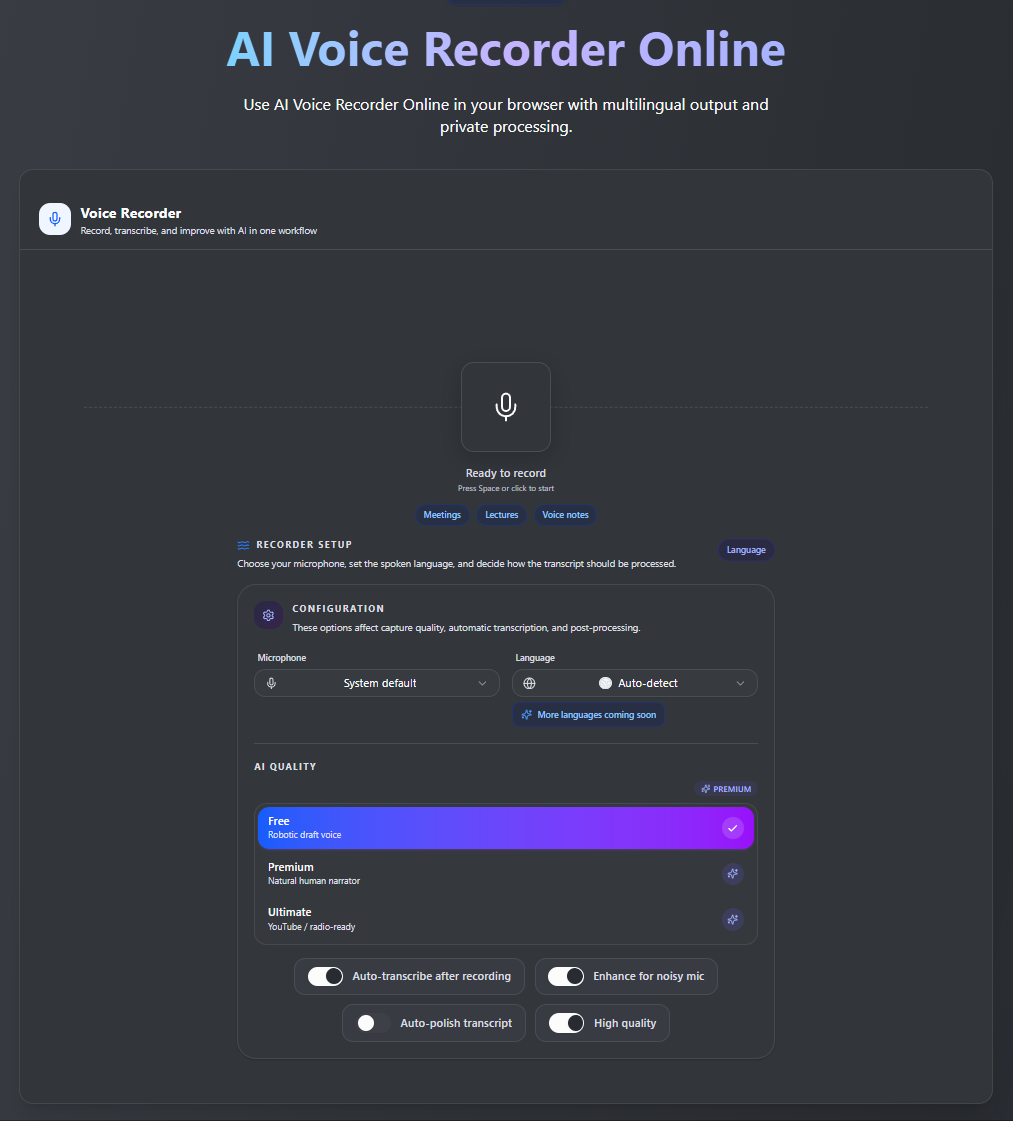
With VoiceCraftTool's Voice Recorder, you can record your voice directly from your browser and generate a live AI transcription without setting up complicated recording software.
Simply:
Open the Voice Recorder.
Allow microphone access.
Start speaking.
Review your transcription as you record.
This makes it useful for voice notes, interviews, meetings, lectures, content ideas, and other spoken material.
Review Your Transcript
Even with clear audio, names, technical terms, or unusual phrases may occasionally need correction. After recording, quickly review the transcript and make any necessary edits before using or sharing it.
Conclusion
A quiet room, sensible microphone placement, and clear speech can make a significant difference to your recording quality.
With VoiceCraftTool, you can record and transcribe your voice in one simple browser-based workflow, making it easier to turn spoken ideas into useful written content without needing a professional studio.