How to Record, Edit & Generate Studio-Quality Content Free
Creating high-quality voice content should not require multiple tools, complicated software, or an expensive setup.
With VoiceCraftTool, you can record audio, edit your script, and generate professional-quality voice content directly in your browser. The tools are free to use, require no signup, and work without installing anything.
Record, Edit, and Generate Voice Content in One Place
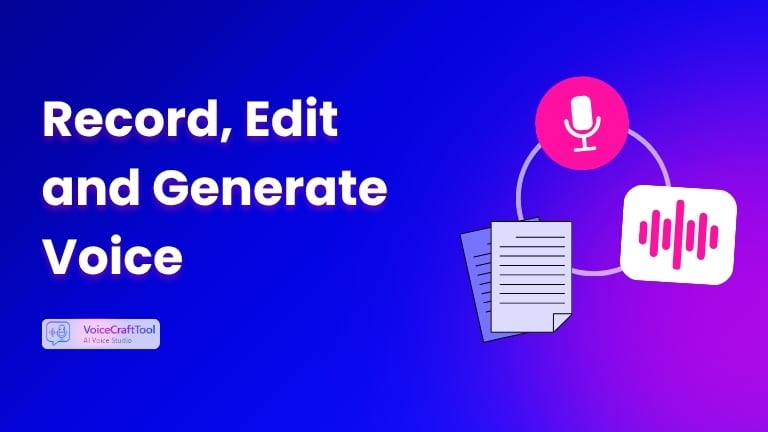
A typical voice content workflow has three main steps:
- Record your audio or idea
- Clean up and improve the script
- Generate a polished voiceover
VoiceCraftTool brings these steps together in one browser-based workflow.
1. Record Audio with the Voice Recorder
The Voice Recorder lets you capture audio directly from your browser without additional software.
As you record, live AI transcription converts your speech into text, making it easier to move from spoken ideas to an editable script.
You can:
- Record directly in your browser
- Get live AI transcription
- Transcribe in 50+ languages
- Export high-quality audio
- Use the transcript for further editing
This gives you both the original recording and the text version of your content without having to transcribe everything manually.
Start Recording Your Voice with Voice Recorder
2. Edit and Improve Your Script
Raw transcripts usually need some cleanup before they are ready for recording or publishing.
The Script Editor helps improve your text while keeping the original meaning and tone.
You can use it to:
- Fix grammar and wording
- Improve clarity
- Remove awkward sentences
- Make the script flow more naturally
- Tighten the structure
- Prepare the text for voice delivery
Instead of rewriting your transcript from scratch, you can quickly turn it into a cleaner and more polished script.
Edit your script now with AI Script Editor
3. Generate Studio-Quality Voice Content
Once your script is ready, the Voice Generator turns your text into natural-sounding speech.
You can choose from multiple voice options and generate polished audio directly from your final script.
It is useful when you need:
- Voiceovers
- Narration
- Video audio
- Explainer audio
- Short-form content
- Consistent spoken content
There is no need to record the same script repeatedly or spend additional time fixing mistakes in multiple takes.
Generate your voice with Text to Audio tool
The Simple Complete Workflow
The full process is simple:
Step 1: Record
Open the Voice Recorder and capture your audio.
Step 2: Edit
Take the transcript and improve it using the Script Editor.
Step 3: Generate
Use the finished script in the Voice Generator to create your final audio.
Record → Edit → Generate
This keeps the entire voice content workflow simple and focused.
Why Use VoiceCraftTool?
VoiceCraftTool makes it easier to create polished voice content without adding unnecessary steps to your workflow.
- Free to use
- No signup required
- No software installation
- Works directly in your browser
- Live AI transcription
- Script editing tools
- Natural text-to-speech voices
- Privacy-first processing
You can move from an initial recording to a refined script and finished voice content using one straightforward workflow.
Start Creating Studio-Quality Voice Content
You do not need a complicated studio setup to record, edit, and generate polished voice content.
With VoiceCraftTool, you can handle the entire process directly from your browser:
Record your audio. Edit your script. Generate your final voice. Start now with AI VOICE RECORDER