Get titles, tags, hashtags, keywords and description for your social media audio or video.
Craft step — shape wording for speaking or publishing
Title,Tags & Description Generator
Upload pack
Get titles, tags, hashtags, keywords and description for your social media audio or video.
Input
Paste a script, or upload your video / audio to transcribe.
AI ready
0 / 1000 words
Video/audio up to 100MB, 20 minutes — or paste a script.
Configuration
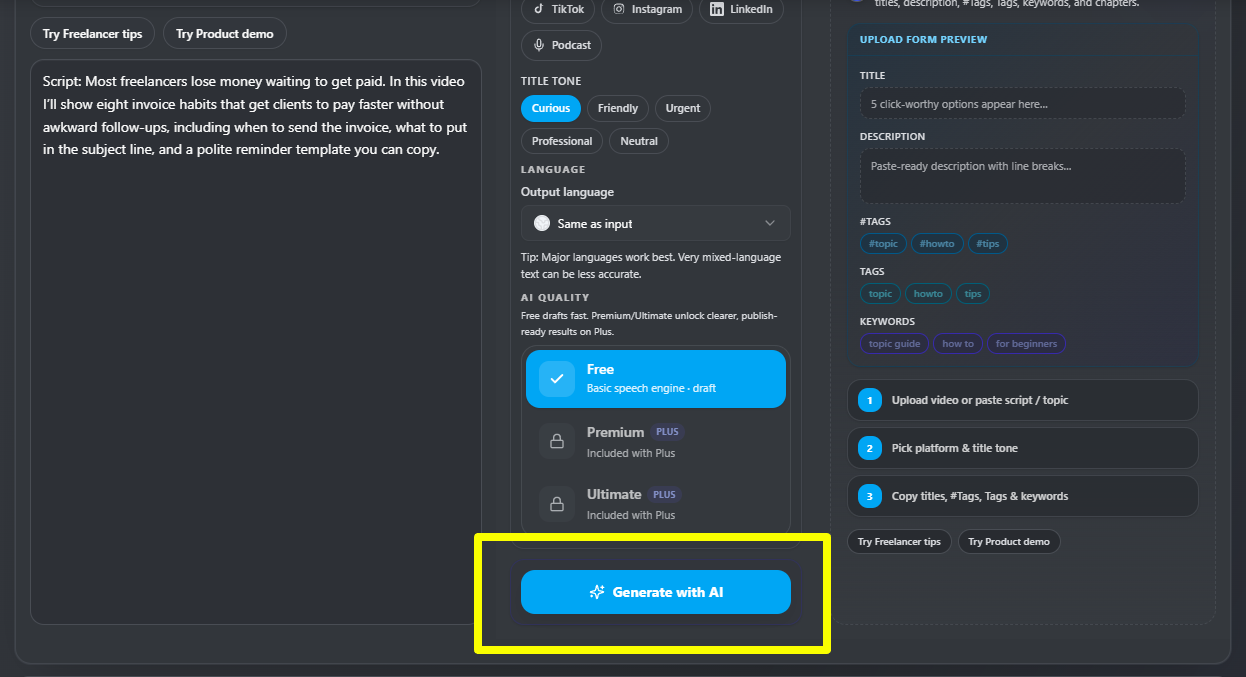
Pick where you’re uploading and the title tone — then generate a paste-ready pack.
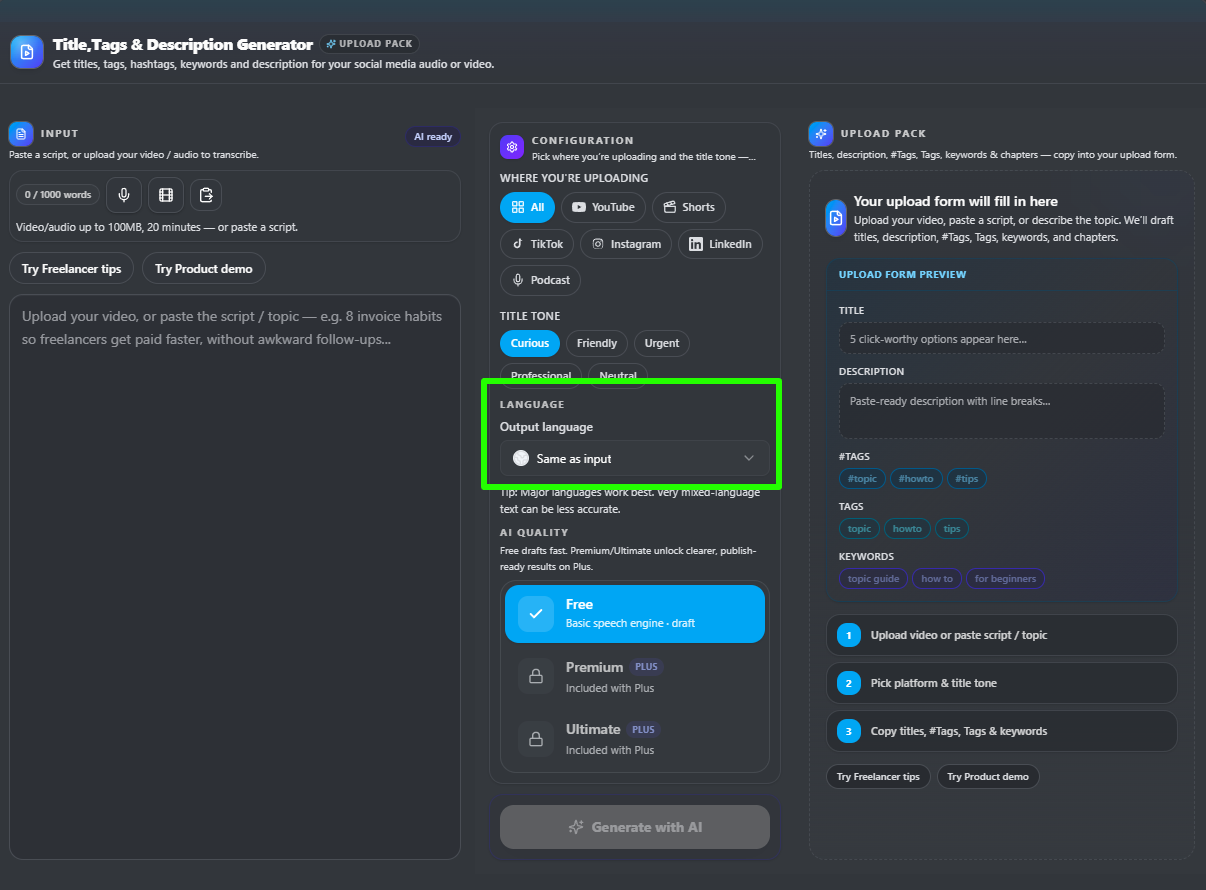
Language
Tip: Major languages work best. Very mixed-language text can be less accurate.
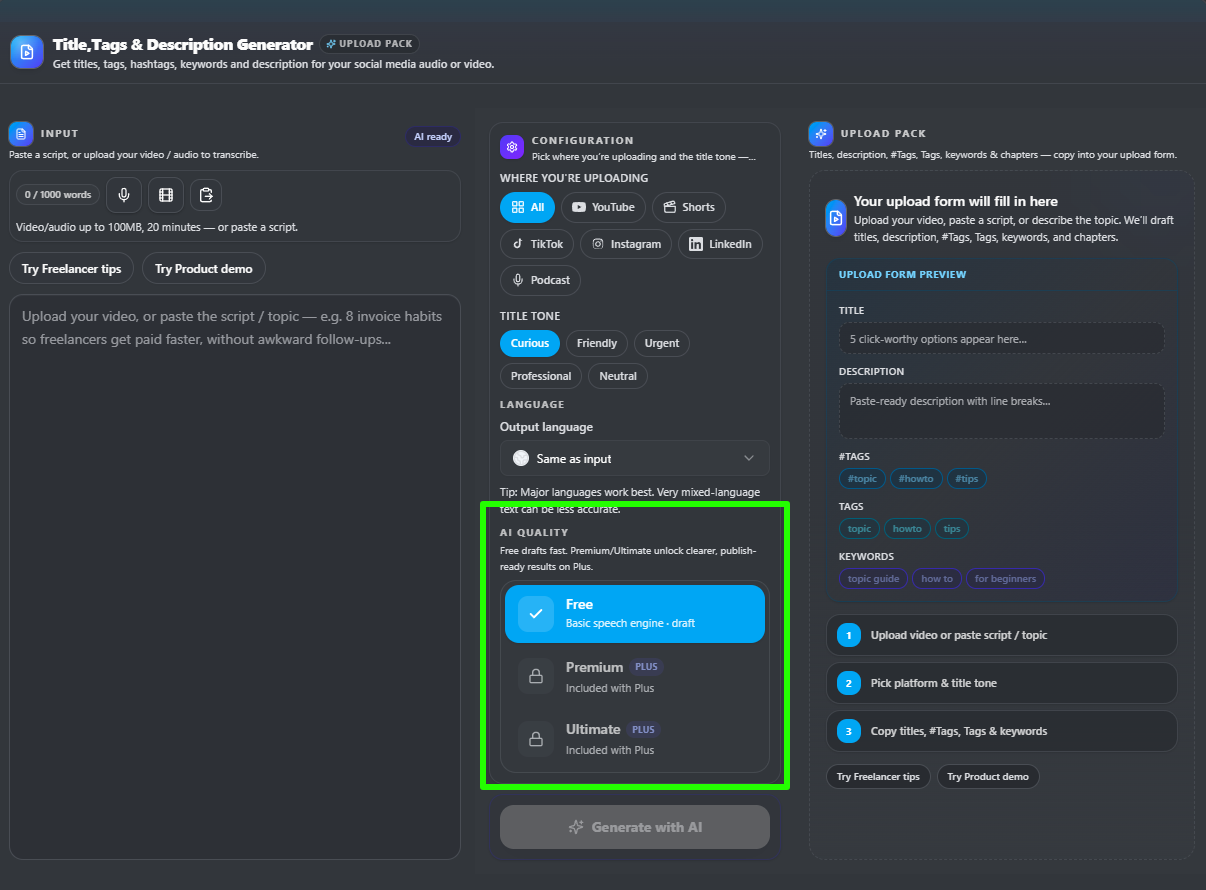
AI Quality
Free drafts fast. Premium/Ultimate unlock clearer, publish-ready results on Plus.
Upload pack
Titles, description, #Tags, Tags, keywords & chapters — copy into your upload form.
Your upload form will fill in here
Upload your video, paste a script, or describe the topic. We’ll draft titles, description, #Tags, Tags, keywords, and chapters.
Upload form preview
Title
5 click-worthy options appear here…
Description
Paste-ready description with line breaks…
#Tags
#topic#howto#tips
Tags
topichowtotips
Keywords
topic guidehow tofor beginners
1Upload video or paste script / topic
2Pick platform & title tone
3Copy titles, #Tags, Tags & keywords
Title,Tags & Description Generator History
Saved items for this tool (per account)
Title,Tags & Description Generator Feedback
Ratings and comments from people who used this tool
No feedback yet for this tool.
What is the Title, Tags and Description Generator?
The Title, Tags and Description Generator is an AI-powered tool that helps users prepare titles, descriptions, tags, hashtags, and keywords for social media videos and audio content.
Instead of writing everything separately, users can upload their content and receive multiple suggestions in organized sections. It is useful for creators, businesses, marketers, and anyone who wants to prepare publishing information without spending too much time on manual writing.
Add your content in different ways
Upload an audio or video file
Upload an audio or video directly from your device. The tool processes the content and generates relevant titles, tags, hashtags, keywords, and descriptions based on its subject.
This is useful when your video or audio is already recorded and you need to prepare the information required for publishing.
Bring audio from the Text to Audio tool
If you have created speech using VoiceCraftTool's Text to Audio Generator, you can bring that generated audio directly into this tool.
This allows you to prepare publishing information for your narration without uploading the file separately.
Key features of the Title, Tags and Description Generator
Output:
Multiple titles: Generate several title suggestions based on your uploaded content. You can compare the options and select the one that best represents your video or audio.
Relevant tags and keywords: The tool identifies important topics in your content and suggests related tags and keywords.
Hashtags: Generate hashtags related to your content in the familiar format, such as #TechReviews, #TravelTips, or #DigitalMarketing.
Suitable description: It helps explain what your content covers and provides context for your audience. You can use the generated description for YouTube videos, Instagram reels, TikTok posts, Facebook videos, LinkedIn content, or podcast episodes.
Platform-specific content generation
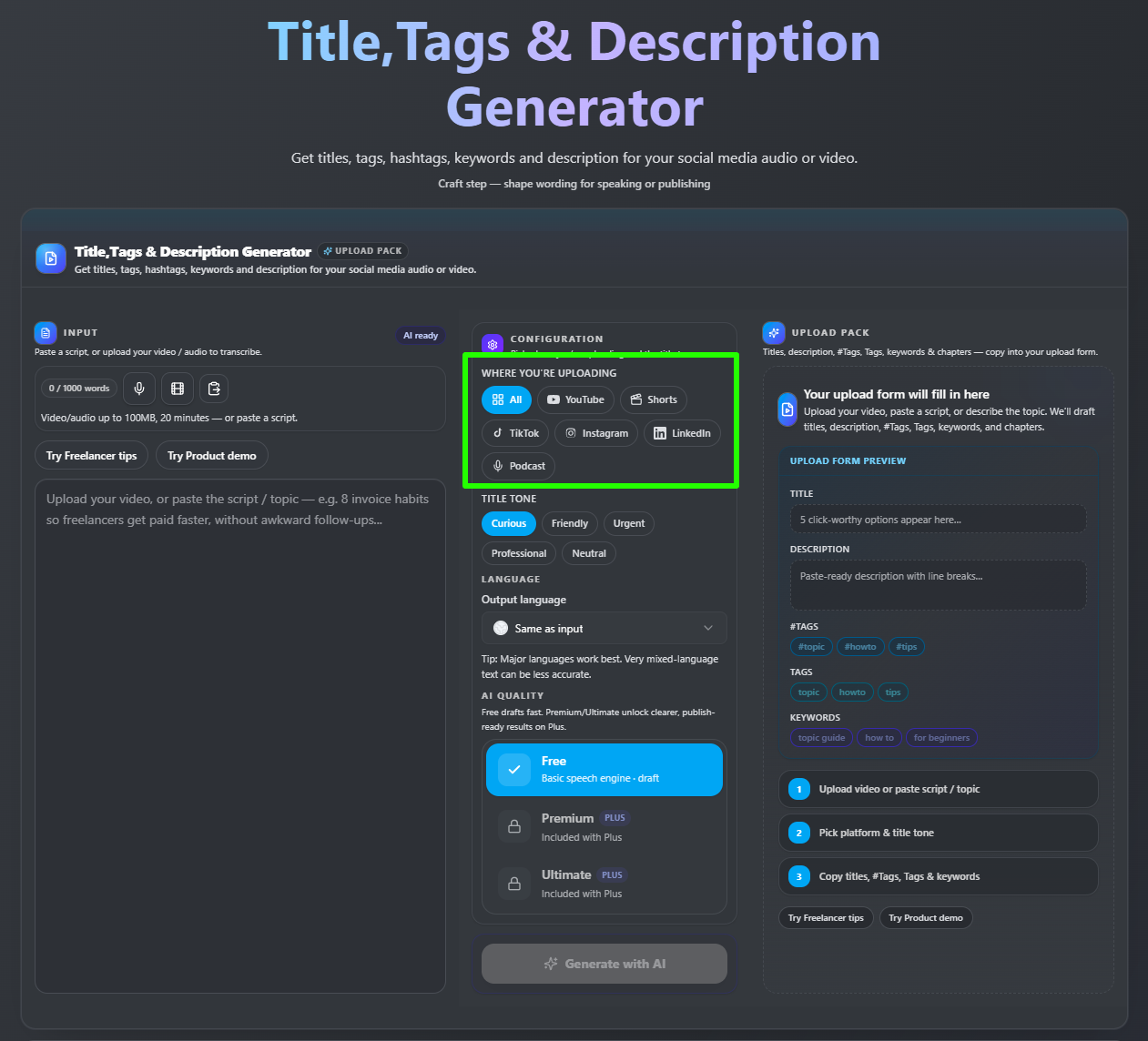
Choose the platform where you plan to publish your content:
YouTube: Titles, descriptions, tags, and hashtags for videos.
Instagram: Captions and relevant hashtags for reels and posts.
Facebook: Video descriptions and topic-based hashtags.
TikTok: Short-form video descriptions and hashtags.
LinkedIn: Professional titles and descriptions for business content.
Podcast:Episode titles, descriptions, and relevant keywords.
You can also generate suggestions without selecting a specific platform if you want content that can be adapted for different publishing channels.
Different writing tones
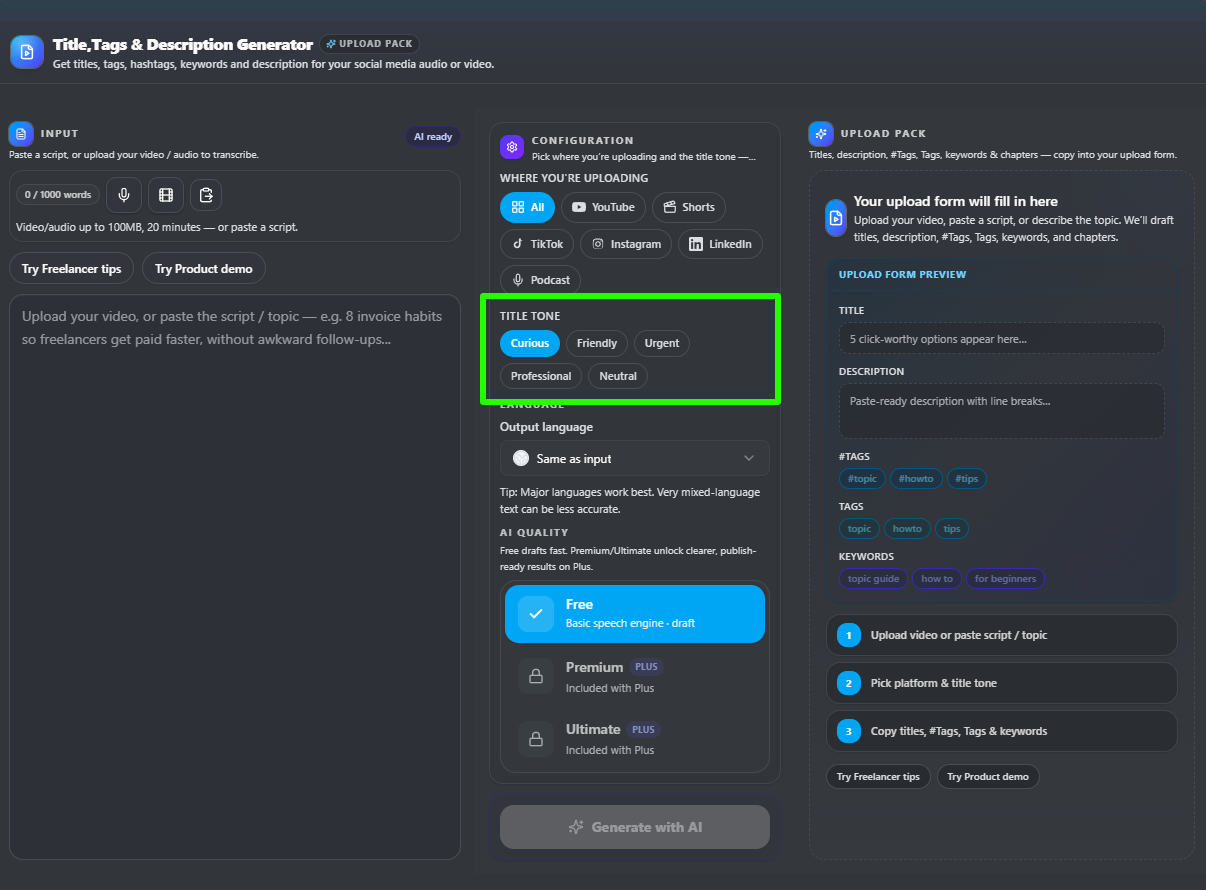
Select a tone that matches your content and audience.
Curious: For interesting topics, questions, and discoveries.
Friendly:For casual videos, tutorials, and conversational content.
Urgent:For important announcements and time-sensitive updates.
Professional: For business, educational, and formal content.
Neutral:For straightforward explanations and informational videos.
Choosing an appropriate tone helps make your generated titles and descriptions consistent with your communication style.
Multilingual support
The tool supports multiple languages, helping creators prepare titles, descriptions, and other publishing information for different language audiences.
This is useful for users who create regional content or manage social media accounts targeting audiences in different languages.
Quality control and manual editing
Review the generated titles, tags, hashtags, keywords, and descriptions before publishing.
The tool includes quality control, and you can manually edit each output to correct information, improve wording, or match your brand's communication style.
Copy and download options
Once you are satisfied with the results, you can copy or download the generated content.
This makes it easier to prepare publishing details in advance or use the suggestions across different social media platforms.
How to use AI Title, Tags and Description Generator by VoiceCraftTool
Step 1: Upload your content
Upload an audio or video file from your device, or bring generated speech from VoiceCraftTool's Text to Audio tool.
Step 2: Choose from the options
Select YouTube, Instagram, Facebook, TikTok, LinkedIn, or podcast. You can also continue without choosing a specific platform. Also select the tone and quality.
Step 3: Generate your content
Let the tool process your file and generate multiple titles, relevant tags, hashtags, keywords, and a suitable description.
Step 4: Preview, Edit or download
You can review your content, make manual edits and copy the generated information or download it for use when publishing your audio or video.
What is the difference between tags, hashtags, and keywords?
Although tags, hashtags, and keywords are closely related, they serve different purposes.
Tags are words or phrases used to label content, especially on platforms that support dedicated tagging fields.
Hashtags begin with the # symbol and are commonly included in social media posts to identify related topics. For example, #SmartphonePhotography.
Keywords are important search terms or phrases that describe the main subject of your content, such as "smartphone camera comparison" or "mobile photography tips."
For example, a video about smartphone photography might include:
Title: 5 Easy Tips for Better Smartphone Photos
Tags: smartphone photography, mobile camera, photography tips
Keywords: smartphone camera tips, better mobile photos
Description: Learn five practical tips to improve your smartphone photography, including lighting, composition, and camera settings.
The tool generates these elements in separate sections so you can review and use them according to your publishing needs.
Why use the Title, Tags and Description Generator?
Preparing content for social media often involves writing titles, descriptions, selecting keywords, and finding suitable hashtags. This can become time-consuming when you regularly publish videos or manage multiple social media accounts.
VoiceCraftTool simplifies the process by generating these elements from your uploaded audio or video.
Instead of preparing everything manually, you can receive multiple suggestions, select a platform and tone, and adjust the results according to your requirements.
The tool is particularly useful for creators who want a consistent publishing workflow while keeping control over the final content.
Best use cases
YouTubers: Generate titles, descriptions, tags, and keywords for product reviews, comparisons, tutorials, and educational videos.
Instagram and TikTok creators: Prepare captions and hashtags for reels, short videos, lifestyle content, and tutorials.
Social media managers:Create publishing information for multiple platforms and adapt titles or descriptions for different audiences.
Businesses and marketing teams: Prepare titles and descriptions for product demonstrations, promotional videos, announcements, and marketing campaigns.
Podcasters:Generate episode titles, descriptions, and keywords based on recorded audio discussions or interviews.
Educators and content writers:Prepare publishing information for recorded lessons, informational videos, presentations, and narrated content.
Tips for better titles, descriptions, and hashtags
Choose titles that match your content
Select titles that clearly communicate the topic of your audio or video. An interesting title can attract attention, but it should not promise information that your content does not provide.
Use platform-appropriate descriptions
Different platforms have different content styles. YouTube descriptions may need more explanation, while Instagram and TikTok captions are often shorter.
Select your intended platform to receive more suitable suggestions.
Focus on relevant hashtags
Popular Instagram hashtags and social media hashtag trends can provide inspiration, but relevance should be your priority.
For example, if you are publishing a smartphone review, hashtags related to technology, smartphone reviews, and mobile devices are more appropriate than unrelated popular hashtags.
If you are searching for Instagram hashtags trending today or currently trending hashtags on Instagram, remember that hashtag popularity changes regularly. The tool generates content-related suggestions rather than verified live trending rankings.
Review and personalize the output
AI-generated content provides a useful starting point, but your final title and description should accurately represent your content.
Review names, numbers, product details, and important information. You can also add your own calls to action, links, or brand-specific wording where appropriate.
Keep tags and keywords specific
Choose terms that directly relate to the main subject of your content. Avoid adding unnecessary or unrelated keywords simply to increase the number of tags.
FAQs
How can I generate titles, tags, and descriptions for my video?
Upload your video to VoiceCraftTool's Title, Tags and Description Generator, choose your platform and preferred tone, and generate the results. You will receive multiple titles, tags, hashtags, keywords, and a description that you can review and edit.
Can I generate titles and descriptions from an audio file?
Yes. The tool supports audio input and can generate relevant publishing information based on the uploaded content. This is useful for podcasts, narrations, interviews, and other audio recordings.
Can I generate hashtags for Instagram, Facebook, and TikTok?
Yes. You can select Instagram, Facebook, or TikTok to generate hashtags related to your content and intended platform.
Does the tool provide trending Instagram hashtags?
The tool generates relevant hashtags based on your content. It does not provide verified real-time rankings of trending Instagram hashtags. If you want to use a current trend, check its relevance and popularity on Instagram before publishing.
Can I choose a specific writing tone?
Yes. You can select curious, friendly, urgent, professional, or neutral to influence how the generated titles and descriptions are written.
Can I use the generator for YouTube videos and podcasts?
Yes. The tool supports YouTube and podcast as platform options, helping you prepare titles, descriptions, and relevant publishing information for videos or audio episodes.
Can I edit the generated titles, tags, and descriptions?
Yes. You can manually edit the generated titles, tags, hashtags, keywords, and descriptions before copying or downloading the results.
Does the tool support multiple languages?
Yes. The generator supports multilingual content, making it useful for creators publishing audio or video for audiences in different languages.
Can I copy or download the generated content?
Yes. After reviewing and editing your results, you can copy or download them for use when publishing your content.
Title,Tags & Description Generator FAQ
How can I generate titles, tags, and descriptions for my video?
Upload your video to VoiceCraftTool's Title, Tags and Description Generator, choose your platform and preferred tone, and generate the results. You will receive multiple titles, tags, hashtags, keywords, and a description that you can review and edit.
Can I generate titles and descriptions from an audio file?
Yes. The tool supports audio input and can generate relevant publishing information based on the uploaded content. This is useful for podcasts, narrations, interviews, and other audio recordings.
Can I generate hashtags for Instagram, Facebook, and TikTok?
Yes. You can select Instagram, Facebook, or TikTok to generate hashtags related to your content and intended platform.
Does the tool provide trending Instagram hashtags?
The tool generates relevant hashtags based on your content. It does not provide verified real-time rankings of trending Instagram hashtags. If you want to use a current trend, check its relevance and popularity on Instagram before publishing.
Can I use the generator for podcasts?
Yes. The tool supports podcast as platform options, helping you prepare titles, descriptions, and relevant publishing information for videos or audio episodes.